10.3 Files
AS Level · 35 questions found
What this topic covers
Section titled “What this topic covers”- Why files are needed for persistent storage
- Write pseudocode to handle text files with one or more lines
Past paper questions
Section titled “Past paper questions”A program is being developed to manage student book loans from a college library. Students may borrow up to five books at a time from the library.
The programmer has defined a record type to define each loan.
The record data items are:
| Data item | Data type | Comment |
|---|---|---|
| StudentID | STRING | the unique ID of the student who has borrowed the book |
| BookID | STRING | the unique ID of the book being borrowed |
| OnLoan | BOOLEAN | TRUE if the book has not been returned |
The programmer has defined a global array Loan to store 5000 loan records.
There are more elements in the array than books in the library. Unused elements have the StudentID set to an empty string. These may occur anywhere in the array.
The programmer has defined the first program module:
| Module | Description |
|---|---|
| OKToBorrow() | • called with a parameter of type STRING representing a StudentID • search the array for loan records for the specified student • output a suitable message to say whether the student may, or may not, borrow another book |
(a) Write efficient pseudocode for the module OKToBorrow() 7 marks
(b) A second module is defined: 8 marks
| Module | Description |
|---|---|
| ReturnBook() | • called with two parameters of type STRING representing a StudentID and a BookID • searches the array for the relevant loan record • when found, sets OnLoan to FALSE and returns TRUE • if a loan record is not found, or the book has already been returned, then returns FALSE |
Write efficient pseudocode for the module ReturnBook()
Assume that each student is only allowed to borrow each book only once. That means that there will be no more than one loan record for a given combination of student and book.
(c) It is decided to introduce a system of fines for books that have been borrowed for too long. 2 marks
Two new requirements are defined:
- Each loan has a maximum length, represented as a number of days.
- Each book in the library will be assigned one of three categories. Each category has a different maximum loan length.
Record structure and program design changes are needed to meet these two requirements.
Outline the changes that are necessary to meet the two requirements.
Show mark scheme
8(a) [7 marks]
Example solution: PROCEDURE OKToBorrow(ThisStudentID : STRING) DECLARE Index, Count : INTEGER CONSTANT Max = 5 Count 0 Index 1 / 0 WHILE Index <= 5000 / Index <= 4999 AND Count < Max IF Loan[Index].StudentID = ThisStudentID AND __ Loan[Index].OnLoan = TRUE THEN Count Count + 1 ENDIF Index Index + 1 ENDWHILE IF Count < Max THEN OUTPUT "Student may borrow another book" ELSE OUTPUT "Student may not borrow another book" ENDIF ENDPROCEDURE Mark as follows: 1 Procedure heading, parameter and ending 2 Loop through all elements in array Loan 3 ... terminating if reached Max 4 Test for correct field in a loop StudentID 5 ... and that in a loop OnLoan = TRUE ... if so, then increment in a loop Count 6 Output an appropriate message in both cases after the loop
8(b)
WHILE Index < 5001 AND NOT Found IF Loan[Index].StudentID = ThisStudentID AND __ Loan[Index].BookID = ThisBookID THEN Found TRUE IF Loan[Index].OnLoan = FALSE THEN // Already returned OK FALSE ELSE Loan[Index].OnLoan FALSE // Mark as returned now ENDIF ENDIF Index Index + 1 ENDWHILE RETURN Found AND OK ENDFUNCTION
8(c) [2 marks]
Award marks for reference to following design features: Change to existing Record: 1 Store date due back as a new data item / in the loan record 2 Store date of loan and the loan length category as new data items / in the loan record Max 1 New Record 3 New Records with Category (and Loan length field) Change to Program: 4 (Use the loan length category of a book to) calculate the date due date 5 Compare due date with today’s date (to check if overdue / to calculate fine) 6 Map loan length category to length of loan / date due back Max 1 Max 2 marks
A text file OldFile.txt contains IDs, names and email addresses for members of a club. Three information items are stored for each member and each item is stored on a separate line.
The example shows the information for the first two members in the first six lines of the file:
| Line in file | Information item | Example data |
|---|---|---|
| 1 | member 1 ID | "AB1234" |
| 2 | member 1 name | "Freddie Jones" |
| 3 | member 1 email address | "FreddieJ909@Cambridge.org" |
| 4 | member 2 ID | "BC2345" |
| 5 | member 2 name | "Sue Smith" |
| 6 | member 2 email address | "Sue1024@Cambridge.org" |
The member ID string is always two letters followed by four digits.
The file design is to be changed so that information for each user is stored as a single line of the file, with the character '' used as a separator between data items.
For example, the single line for member 1 will be:
"AB1234\Freddie Jones\FreddieJ909@Cambridge.org"
An algorithm will produce a new file NewFile.txt from the contents of OldFile.txt
Assume:
LineX, LineY and LineZ are of type STRING and are used to store the three items of information for each member
NewString is a temporary variable of type STRING
OldFile.txt exists and contains valid data.
(a) The algorithm to create the new file is expressed in steps. 6 marks
Complete the following numbered steps:
Step 1 : open the file ______ in
Step 2 : open the file ______ in
Step 3 : read a line from ______ and store in
Step 4 : read a line from ______ and store in
Step 5 : read a line from ______ and store in
Step 6 : set NewString to
Step 7 : write NewString to
Step 8 : repeat from step ______ until
Step 9 : close both files.
(b) The character '' has been chosen as a separator. 1 mark
Explain why this is a suitable character.
(c) Two new information items are to be stored for each member. Both new items are encrypted; they can each contain any character (including '') and can be of any length up to a maximum of 99 characters. 3 marks
For example:
| Information item | Example data |
|---|---|
| member 1 ID | "AB1234" |
| member 1 name | "Freddie Jones" |
| member 1 email address | "FreddieJ909@Cambridge.org" |
| member 1 new information 1 | "En/98&*( |
| member 1 new information 2 | "23\CoboL" |
Explain the additional file design changes needed so that:
all the information items for each member are stored on a single line of NewFile.txt
it is possible to extract each information item after the line is read.
Assume the '' character is not used in any email address.
Show mark scheme
3(a) [6 marks]
Mark as follows: MP1 1 OldFile.txt read (mode) open the file in MP2 2 NewFile.txt write (mode) open the file in 3 OldFile.txt in read a line from and store LineX MP3 4 OldFile.txt read a line from and store in LineY OldFile.txt 5 read a line from and store in LineZ MP4 6 set to NewString LineX & '' & LineY & '' & LineZ MP5 7 NewFile.txt write to NewString MP6 8 3 end of OldFile.txt repeat from step until 9 close both files
3(b) [1 mark]
It does not appear in (any of) the data items // it does not appear in the ID and Name
3(c) [3 marks]
MP1 Add a ( single) new separator at the end of the third (original) item MP2 Calculate the length of both new data items MP3 Store / append the length (of the new each items) MP4 as a fixed length / separated digit string // by example Max 3
A program is being developed to manage student book loans from a college library.
The programmer has defined a record type to define each loan.
The data items are:
| Data item | Data type | Comment |
|---|---|---|
| StudentID | STRING | the unique ID of the student who has borrowed the book |
| BookID | STRING | the unique ID of the book being borrowed |
| OnLoan | BOOLEAN | TRUE if the book has not been returned |
The programmer has defined a global array Loan to store 7000 loan records.
There are more elements in the array than books in the library. Unused elements have the StudentID set to an empty string. These may occur anywhere in the array.
The programmer has defined a program module:
| Module | Description |
|---|---|
| CountLoans() | • called with a parameter of type STRING representing a StudentID • counts the number of books currently on loan to the specified student • counts the number of books that the student has already returned • output both counts together with a suitable message |
(a) Write pseudocode for module CountLoans() 7 marks
(b) As a reminder, a global array Loan stores 7000 loan records with data items for each loan record: 7 marks
| Data item | Data type | Comment |
|---|---|---|
| StudentID | STRING | the unique ID of the student who has borrowed the book |
| BookID | STRING | the unique ID of the book being borrowed |
| OnLoan | BOOLEAN | TRUE if the book has not been returned |
A new module is defined:
| Module | Description |
|---|---|
| NewLoan() | • called with two parameters of type STRING representing a StudentID and a BookID • searches the array for an unused loan record • if found, updates the loan record and returns TRUE, otherwise returns FALSE |
Write efficient pseudocode for NewLoan()
(c) When a book is returned, the loan record will have its OnLoan data set to FALSE A new procedure Archive() will mark these records as unused after first saving them for future reference. 2 marks
Explain how these records can be saved for future reference.
(d) It is decided to extend the program so that a new module Reminder() will send an email to the student three days before the book is due to be returned. 2 marks
Outline the changes that will need to be made to the data stored and how this data will be used to generate the reminder email.
Data
Use
Show mark scheme
8(a) [7 marks]
Example solution: PROCEDURE CountLoans(ThisStudentID : STRING) DECLARE Index, LCount, RCount : INTEGER LCount 0 RCount 0 FOR Index 1 TO 7000 IF Loan[Index].StudentID = ThisStudentID THEN IF Loan[Index].OnLoan = FALSE THEN RCount RCount + 1 ELSE LCount LCount + 1 ENDIF ENDIF NEXT Index OUTPUT "Student has ", LCount, " books on loan" OUTPUT "and has returned ", RCount, " books" ENDPROCEDURE Mark as follows: MP1 Declaration of Index and two count variables MP2 Loop for 7000 iterations MP3 references an indexed data item with correct .dot notation Index MP4 Attempt to compare the field = parameter in a loop StudentID MP5 Test of the field and correct logic for both outcomes OnLoan MP6 Both count variables initialised and increment appropriate count in a loop MP7 Output includes both counts with a suitable message
8(b) [7 marks]
Example solution: FUNCTION NewLoan(ThisStudentID, ThisBookID : STRING) __ RETURNS BOOLEAN DECLARE Index : INTEGER DECLARE IsStored : BOOLEAN CONSTANT Blank = "" Index 1 IsStored FALSE WHILE Index <= 7000 AND NOT IsStored IF Loan[Index].StudentID = Blank THEN Loan[Index].StudentID ThisStudentID Loan[Index].BookID ThisBookID Loan[Index].OnLoan TRUE IsStored TRUE ENDIF Index Index + 1 ENDWHILE RETURN IsStored ENDFUNCTION Mark as follows: MP1 Loop through 7000 elements in array – correct loop structure Loan MP2 or until the first unused element is found // Correct inside a RETURN loop FOR MP3 Correct use of the indexed dot notation MP4 Test if record is unused ( in a loop .StudentID = "") MP5 Two item assignment statements correct MP6 assigned TRUE Loan[Index].OnLoan MP7 Correct logic to return in both cases (position found / no BOOLEAN position available) Alternative solution: loop only (no ‘found’ mechanism) FOR Index 1 TO 7000 IF Loan[Index].StudentID = Blank THEN Loan[Index].StudentID ThisStudentID Loan[Index].BookID ThisBookID Loan[Index].OnLoan TRUE RETURN TRUE ENDIF NEXT RETURN FALSE
8(c) [2 marks]
MP1 Save to/Open a (text) file MP2 Single line – form a string with separator characters and write to the file // Multiple lines
- write each data item to a separate line in the file
8(d) [2 marks]
Additional date(s) solution MP1 Store the return date of each loan // the start date and the loan period MP2 Algorithm will do a calculation involving the MP1 data item(s) OR The student email address solution MP3 Store the student email address MP4 In order to send the email // the student is alerted to return the book Max 2
(a) A program contains a global 1D array of type STRING containing 65 elements. 6 marks
An existing text file is used to store the data in the array. Only non-blank elements (those that do not contain an empty string) are written to the text file.
An algorithm will:
write the first element of the array as a new line in the text file
continue until all elements have been written, each to a new line of the text file.
Stepwise refinement is applied to the algorithm.
Describe up to six steps for this algorithm that could be used to produce pseudocode.
Do not use pseudocode statements in your answer.
Step 1
Step 2
Step 3
Step 4
Step 5
Step 6
(b) Iteration is one programming construct.
Identify one other programming construct that will be required when the algorithm from part
(a) is converted into pseudocode and explain how it is used. 2 marks
Construct
Use
Show mark scheme
2(a) [6 marks]
One mark per point: 1 Open the file in append mode (and subsequently close) before loop 2 Initialise a variable to 1 / 0 before loop 3 Use the variable as an index to the array to access an element in a loop 4 Test if element value is blank / empty in a loop 5 If not blank then write the value to the file in a loop 6 Increment the variable in a loop 7 Repeat from MP3 until variable value is 66 / 65 / all elements (in the array) have been checked Max 6
2(b) [2 marks]
One mark per point: Construct: Selection Use: To test whether the (array) element is blank Alternative: Construct: Sequence Use: To specify the order in which the steps of the algorithm have to be followed so that the task is completed correctly
A program is being developed to manage student book loans from a college library.
The programmer has defined a record type to define each loan.
The data items are:
| Data item | Data type | Comment |
|---|---|---|
| StudentID | STRING | the unique ID of the student who has borrowed the book The first three characters of a StudentID represent a tutor ID. Each student has one tutor. |
| BookID | STRING | the unique ID of the book being borrowed |
| OnLoan | BOOLEAN | TRUE if the book has not been returned |
The programmer has defined a global array Loan to store 8000 loan records.
There are more elements in the array than books in the library. Unused elements have the StudentID set to an empty string. These may occur anywhere in the array.
The programmer has defined a program module:
| Module | Description |
|---|---|
| LoanStatus() | • called with two parameters of type STRING representing a StudentID and a BookID • outputs a message saying whether a given loan has been returned or not • outputs a warning message if a record of the given loan is not found |
(a) Write efficient pseudocode for the module LoanStatus() 8 marks
Assume that each combination of StudentID and BookID can occur only once.
(b) A second module is defined: 7 marks
| Module | Description |
|---|---|
| LoansPerTutor() | • called with a parameter of type STRING representing a tutor ID (as a reminder, the first three characters of a StudentID represent a tutor ID) • returns an integer value representing the number of books currently on loan to students who have the given tutor |
Reminder: unused elements have the StudentID set to an empty string. These may occur anywhere in the array.
Write pseudocode for the module LoansPerTutor()
(c) It is decided to mark as unused all records for book loans that have been returned. The data for these records will first be written to a new text file for archive purposes.
(i) The archive program will automatically generate a meaningful filename each time it is run. 2 marks
Outline a meaningful format to use for the filename.
(ii) There is a problem that will need to be overcome before the data items can be written to a text file. 1 mark
As a reminder, the data items are:
| Data item | Data type | Comment |
|---|---|---|
| StudentID | STRING | the unique ID of the student who has borrowed the book The first three characters of a StudentID represent a tutor ID. Each student has one tutor. |
| BookID | STRING | the unique ID of the book being borrowed |
| OnLoan | BOOLEAN | TRUE if the book has not been returned |
Explain the problem.
(iii) One way of storing the data items in a text file is to store each data item on a separate line. 2 marks
Identify one benefit and one drawback of this way of storing the data.
Benefit
Drawback
Show mark scheme
8(a) [8 marks]
Example solution: PROCEDURE LoanStatus(ThisStudentID, ThisBookID : STRING) DECLARE Index : INTEGER DECLARE Found : BOOLEAN Index 1 / 0 Found FALSE WHILE Index <= 8000 / 7999 AND NOT Found IF Loan[Index].StudentID = ThisStudentID AND Loan[Index].BookID = ThisBookID THEN IF Loan[Index].OnLoan = FALSE THEN OUTPUT "Loan has been returned." ELSE OUTPUT "Loan has not been returned." ENDIF Found TRUE ENDIF Index Index + 1 ENDWHILE IF NOT Found THEN OUTPUT "Warning - Loan not found." ENDIF ENDPROCEDURE Mark as follows: 1 Procedure heading, parameters and ending 2 Loop through all elements in array Loan 3 ... or until record loan is found 4 Test for correct in a loop StudentID 5 ... and correct BookID 6 ... check data item OnLoan 7 ... and output both messages as appropriate regarding book loan status once 8 If no matching loan found, Output 'not found' after the loop
8(b) [7 marks]
Example solution: FUNCTION LoansPerTutor(TutorID : STRING) RETURNS INTEGER DECLARE Index, Count : INTEGER Count 0 FOR Index 1 / 0 TO 8000 / 7999 IF LEFT(Loan[Index].StudentID, 3) = TutorID AND Loan[Index].OnLoan = TRUE THEN Count Count + 1 ENDIF NEXT Index RETURN Count ENDFUNCTION Mark as follows: 1 Initialise local integer for Count 2 Loop through all elements in the array Loan 3 Attempt at referencing a data item in a loop 4 Extract from in a loop TutorID Loan[Index].StudentID 5 Test for Matching Tutor AND test if the book has been returned using correct dot notation in a loop 6 ... if true then increment in a loop Count 7 Return count
8(c)(i) [2 marks]
One mark per point: 1 Include (a suffix string based on) the date of the archive / the next number in sequence 2 Concatenate with a root filename such as 'Archive'
8(c)(ii) [1 mark]
Boolean data cannot be written to a text file // is not a string // OnLoan will have to be converted to text OnLoan
8(c)(iii) [2 marks]
One mark per point: Benefit: Algorithm to store / extract a record is easier // unpacking of data is not required // No need for string concatenation Drawback: More file accesses needed (to read / write a complete record)
A program is being developed to implement a customer loyalty scheme for a coffee shop.
The programmer has decided that the following data items need to be stored for each customer:
| Data item | Description |
|---|---|
| customer ID | a unique six-digit string |
| points | an integer value that is increased by one for every cup of coffee the customer orders |
When a customer visits the shop and orders coffee, the scheme operates as follows:
The total number of points is increased by the number of coffees ordered.
If just one cup of coffee is ordered and the number of points goes above 10, then:
the cup of coffee they have just ordered is given to them free of charge
the number of points is reduced by 11.
- If the order is for multiple coffees and the number of points goes above 10, then:
they get one coffee free of charge for every 11 points
the number of points is reduced by 11 for each free coffee.
For example, the:
customer currently has 9 points
customer orders 16 cups of coffee
total number of points now becomes 25
customer gets 2 free coffees and now has 3 points left.
The programmer has defined a program module that is called every time a customer places an order:
| Module | Description |
|---|---|
| CustomerOrder() | • called with two integer parameters: ◦ the number of coffees ordered ◦ the current number of points • output a suitable message giving the number of free coffees • return a value for the new points total. |
(a) Write pseudocode for module CustomerOrder() 6 marks
(b) A text file Loyalty.txt will be used to store the data items for the loyalty scheme. The data items for each customer will be stored on a separate line of the text file where each data item is separated by a comma:
<CustomerID>,<Points>
The contents of the text file Loyalty.txt will always be stored in ascending order by customer ID.
When the data items are read from or written to the text file Loyalty.txt, they may need to be converted to the appropriate data type.
Each customer has a unique customer ID starting at "100001" with this value increasing by one each time a new customer joins the loyalty scheme.
When a customer joins the loyalty scheme, they are assigned the next customer ID and value of points is set to 0.
For example, if the loyalty scheme has 204 customers and a new customer joins the loyalty scheme, the following line is added to the text file Loyalty.txt:
"100205,0"
You can assume that the number of customers in the loyalty scheme will never be more than 9000. The programmer has defined a program module as follows:
| Module | Description |
|---|---|
| AddNewCustomers() | • called with an integer parameter representing the number of new customers to be added to the loyalty scheme • adds a new line, containing the required information, to the text file Loyalty.txt for each customer added to the loyalty scheme • outputs each new customer ID added to the loyalty scheme |
(i) Write pseudocode for module AddNewCustomers() 8 marks
Assume that there is at least one customer already in the loyalty scheme.
(ii) The requirements for AddNewCustomers() are changed. There may be no existing customers in the loyalty scheme. 4 marks
Explain the changes that will need to be made to the module AddNewCustomers()
Show mark scheme
7(a) [6 marks]
INTEGER Points + Number 0 NumberFree + 1 NewPoints -11 Number - 1 Function header and ending and parameters and return type Number of coffees ordered added to points Correct calculation of one free coffee Attempted calculation of multiple free coffees and reduced NewPoints Output number of free drinks with suitable message Return of NewPoints
7(b)(i) [8 marks]
STR_TO_NUM((LEFT(Line, 6)) 1 TO NumToAdd CustomerID + 1 NUM_TO_STR(CustomerID) & ",0" All variables used are declared using the correct type including a string and an integer Open file in read mode and close (before opening in append mode) Conditional loop with EOF("Loyalty.txt") Read from file // Count number of records in the file Line Open the file in append mode and subsequently close Extract from and convert to integer // use count from CustomerID Line MP4 to generate last stored CustomerID A (count controlled) loop for the number of customers to add Increment and output the new in loop CustomerID CustomerID Create string for new and write to file in loop CustomerID Check if the text file exists / is empty
7(b)(ii) [4 marks]
loyalty.txt If file does not exist it must be created (using write mode) If the file has to be created / is empty then set the first to CustomerID 100001 Write to (using write mode) "100001,0" loyalty.txt For all but the first customer (to be added to the empty file) use the existing code / module
A programmer is developing a new stock control program for a shop owner to produce sales reports.
(a) A text file Sales.txt stores strings representing the number of items sold. 5 marks
The file contains 52 lines, each representing the number of items sold in each week of the year.
For example:
File line number File data 1 "350" 2 "502" 3 "434"
49 "492" 50 "872" 51 "772" 52 "201"
The example shows that 502 items were sold in week 2.
The owner requires a module to output all week numbers where the number of items sold is greater than 500.
Describe an algorithm that produces the required module.
Do not include pseudocode statements in your answer.
(b) Once the program has been completed, it is tested using the walkthrough method. 3 marks
Describe the walkthrough method and explain how it can be used to identify errors.
Show mark scheme
4 Sales.txt MP2 Read a line (from the text file)
MP3 Convert the line read (string) to a number MP4 If the number is greater than 500 and then output week number MP5 Increment week number (must have been Initialised … ) MP6 Repeat from step 2 for 52 times // Repeat from step 2 until end of file Max 5
4(b) [3 marks]
MP1 Going through the program a line / statement at a time // doing a dry run // single-stepping ( at run-time with an IDE) // Peer testing/review is carried out MP2 Creating a trace table MP3 Draw up test data // draw up list of inputs with expected output // boundary, normal, abnormal data is used MP4 Errors will be indicated when a variable / output gives an unexpected value MP5 Faults in the logic of the program can be detected // Errors may be indicated by an unexpected path through the program Max 3
A program is being developed to implement a customer loyalty scheme for a coffee shop.
The programmer has decided that the following data items need to be stored for each customer:
| Data item | Description |
|---|---|
| customer ID | a unique six-digit string |
| loyalty points | an integer value that depends on how often the customer visits the coffee shop |
| last visit date | the date the customer last visited the coffee shop |
The programmer has defined a program module:
| Module | Description |
|---|---|
| UpdateVisit() | • called with two parameters: 1. loyalty points of type INTEGER 2. last visit date of type DATE • change the loyalty points: increase by four if the last visit date and the current date are in the same month otherwise increase by one • change the last visit date to the current date • the changed values must be available to the code that follows the call to UpdateVisit() |
(a) (i) Write pseudocode for module UpdateVisit() 5 marks
Assume the customer has made at least one previous visit.
(ii) The programmer decides to amend the UpdateVisit() module so that loyalty points are further increased if the customer visits the coffee shop the same day of the week as their last visit. 1 mark
Write the pseudocode for this condition.
(b) A text file Loyalty.txt will be used to store the data items for the loyalty scheme.
The text file Loyalty.txt contains only one line of data for each customer.
Each data item is separated by a comma:
<CustomerID>,<LoyaltyPointsString>,<LastVisitDateString>
LastVisitDateString is always eight characters in length in the format: DDMMYYYY.
An example of how a line of data will be stored in the text file Loyalty.txt is:
"100123,132,05032025"
This example shows that the customer with an ID of 100123 had 132 loyalty points following their last visit to the coffee shop on 05/03/2025.
If a customer visits the coffee shop on a Monday, the value of their loyalty points is increased by 10.
The programmer has defined two more program modules:
| Module | Description |
|---|---|
| FindCustomer() (is already written) |
• called with a parameter of type STRING that represents a customer ID • returns the line of data read from the text file Loyalty.txt containing the data items for that customer |
| MondayCheck() | • called with a parameter of type STRING that represents the customer ID of a customer • calls FindCustomer() • extracts the loyalty points from the string returned by FindCustomer() • increases the loyalty points for the current customer by 10 if the day visited is a Monday • returns an integer value representing the loyalty points |
(i) Write pseudocode for module MondayCheck() 8 marks
The module FindCustomer() must be used and assume it returns a valid string for the current customer.
(ii) A date is stored in LastVisitDateString in the format: 4 marks
DDMMYYYY
DD is a 2-digit string MM is a 2-digit string YYYY is a 4-digit string.
For example, the date 03/09/2024 is stored as "03092024"
An algorithm is needed to convert the string stored in LastVisitDateString to data type DATE which is then stored in the variable LastVisitDate.
Complete the pseudocode for this algorithm:
Assume that LastVisitDateString has been declared and contains valid data.
DECLARE DayInt, MonthInt, YearInt : INTEGER
DECLARE LastVisitDate : DATE
Show mark scheme
7(a)(i) [5 marks]
Example solution: PROCEDURE UpdateVisit(BYREF LastVisitDate : DATE,__ BYREF LoyaltyPoints : INTEGER) IF MONTH(TODAY()) = MONTH(LastVisitDate) THEN LoyaltyPoints LoyaltyPoints + 4 ELSE LoyaltyPoints LoyaltyPoints + 1 ENDIF LastVisitDate TODAY() ENDPROCEDURE MP1 Procedure heading and ending and two parameters of correct type MP2 … both passed BYREF MP3 Use of function to obtain current date TODAY() MP4 Use function ( 2) and one parameter is the header parameter MONTH and 2nd parameter is / assigned variable TODAY() MP5 If visit is same month, increase by 4 otherwise LoyaltyPoints increase by 1 MP6 set to / ‘current date’ variable (assigned LastVisitDate TODAY() or unassigned) Max 5 DAYINDEX(LastVisitDate) = DAYINDEX(TODAY())
7(b)(i)
Alternative example solution: Uses a loop to calculate the number of digits in the string LoyaltyPoints FUNCTION MondayCheck(CustomerID : STRING) RETURNS INTEGER DECLARE LoyaltyPoints : INTEGER DECLARE LoyaltyPointsString : STRING DECLARE Index : INTEGER DECLARE Line : STRING Line FindCustomer(CustomerID) Index 9 WHILE MID(Line, Index, 1) <> ',' Index Index + 1 ENDWHILE // calculate the number of digits in LoyaltyPoints string LoyaltyPointsString MID(Line, 8, Index - 8) LoyaltyPoints STR_TO_NUM(LoyaltyPointsString) IF DAYINDEX(TODAY()) = 2 THEN LoyaltyPoints LoyaltyPoints + 10 ENDIF RETURN LoyaltyPoints ENDFUNCTION
7(b)(ii) [4 marks]
Example solution: DayInt STR_TO_NUM(LEFT(LastVisitDateString, 2)) MonthInt STR_TO_NUM(MID(LastVisitDateString, 3, 2)) YearInt STR_TO_NUM(RIGHT(LastVisitDateString, 4)) LastVisitDate SETDATE(DayInt, MonthInt, YearInt) Mark as follows: MP1 Use of one substring function MP2 , and all correctly extracted DayInt MonthInt YearInt MP3 Use of x 3 STR_TO_NUM MP4 function used to convert to a date type and assigned to SETDATE() LastVisitDate
A program reads data from a text file, splits the data depending on its content and stores the separated data into different files.
The text file TheData.txt contains 72 lines of data. Each line of data has an integer number and
a string colour that are separated by a comma. For example, the first line in the file is:
10,red
The integer is 10 and the string is "red"
The file contains six different colours: red, green, blue, orange, yellow, pink.
(a) The function ReadData() : 7 marks
prompts the user to enter a filename and reads this filename from the user
opens the file and reads each line of data into a 1D array
returns the populated 1D array.
The function needs to work for a file that contains an unknown number of lines.
Write program code for ReadData()
Save your program as Question2_J25 .
Copy and paste the program code into part 2(a) in the evidence document.
(b) The procedure SplitData() takes a 1D string array as a parameter with the identifier 6 marks
DataArray
The procedure declares six 1D arrays: one array for each colour that appears in the file (red, green, blue, orange, yellow, pink).
The procedure accesses each string in DataArray . The data in each string is split into the
integer and the colour. The integer is stored in the array that matches the colour.
For example, the first string in DataArray has the integer 10 and the colour red, so the
integer 10 is stored in the array for the colour red.
Write program code for SplitData()
Save your program.
Copy and paste the program code into part 2(b) in the evidence document.
(c) The procedure StoreData() : 5 marks
takes two parameters: a 1D array
DataToStoreand a filenameopens the text file with the filename that is passed as a parameter
appends each item of data from
DataToStoreto a new line in the text fileuses exception handling when opening and writing data to the text file.
Write program code for StoreData()
Save your program.
Copy and paste the program code into part 2(c) in the evidence document.
(d) Each of the six colours has a blank text file where the numbers will be stored. The names of these six text files are: 2 marks
Blue.txtGreen.txtOrange.txtPink.txtRed.txtYellow.txt
The procedure SplitData() needs amending to call StoreData() six times, with each of
the six colour arrays and the name of the text file that corresponds to that colour.
For example, StoreData() will be called with the red array and the file name "Red.txt"
Write program code to amend SplitData()
Save your program.
Copy and paste the program code into part 2(d) in the evidence document.
(e) The main program calls ReadData() and then SplitData()
(i) Write program code for the main program. 3 marks
Save your program.
Copy and paste the program code into part 2(e)(i) in the evidence document.
(ii) Test your program. Input the text "TheData.txt" when prompted. 2 marks
Take a screenshot of the output(s) and a screenshot showing the content of the file that stores the red numbers.
Save your program.
Copy and paste the screenshot(s) into part 2(e)(ii) in the evidence document.
Show mark scheme
2(a) [7 marks]
1 mark each to max 7 • Function header (and end) • Prompt to enter filename and reading input • Opening the file (to read) and closing the file in an appropriate place • Looping until EOF … • … reading each line in the file … • … (removing line break and) inserting in array • Returning populated array • Exception handling try catch with appropriate output
Dim FileReader As New System.IO.StreamReader(FileName) While Not FileReader.EndOfStream DataList(NumberItems) = FileReader.ReadLine() NumberItems = NumberItems + 1 End While FileReader.Close() Console.WriteLine("Cannot open or read from file")
FileReader f = new FileReader(FileName); try{ BufferedReader Reader = new BufferedReader(f); String Line = Reader.readLine(); Line = Line.replace("\n",""); while (Line != null){ DataList[NumberItems] = Line; NumberItems++; Line = Reader.readLine(); if(Line != null){ Line = Line.replace("\n",""); } } Reader.close(); }catch(IOException ex){ } System.out.println("File not found");
2(b) [6 marks]
1 mark each • Procedure header (and end) taking (1D array) (of strings) as a parameter DataArray • Declaration/use of 6 1D arrays (equivalent), one for each colour • Looping through each line in parameter … DataArray • … splitting by comma • Comparing 2nd value/colour to each colour to select array … • … storing 1st value/integer in correct array
TempDataFromFile = (DataArray(x)).Split(",") DataList(x, 0) = TempDataFromFile(0) DataList(x, 1) = TempDataFromFile(1) If DataList(x, 1) = "red" Then Red(RedNumber) = DataList(x, 0) RedNumber = RedNumber + 1 ElseIf DataList(x, 1) = "green" Then Green(GreenNumber) = DataList(x, 0) GreenNumber = GreenNumber + 1 ElseIf DataList(x, 1) = "blue" Then Blue(BlueNumber) = DataList(x, 0) BlueNumber = BlueNumber + 1 ElseIf DataList(x, 1) = "orange" Then Orange(OrangeNumber) = DataList(x, 0) OrangeNumber = OrangeNumber + 1 ElseIf DataList(x, 1) = "yellow" Then Yellow(YellowNumber) = DataList(x, 0) YellowNumber = YellowNumber + 1 ElseIf DataList(x, 1) = "pink" Then Pink(PinkNumber) = DataList(x, 0) PinkNumber = PinkNumber + 1 End If
x = x + 1
x = x + 1;
2(c) [5 marks]
1 mark each • Procedure header taking (1D) array and filename as parameters, opening file to append place) • Looping through each item in array parameter … • … writing to the file • … with new line break between each line • Using exception handling try and catch with suitable output While DataToStore(x) IsNot Nothing FileWriter.WriteLine(DataToStore(x)) x = x + 1 End While FileWriter.Close() Console.WriteLine("Cannot open or write to file")
2(d) [2 marks]
1 mark each • Calling with one array and filename StoreData • Calling with remaining 5 arrays and filename StoreData
2(e)(i) [3 marks]
1 mark each • Calling … ReadData() • … and storing/using return value • Calling with returned array as a parameter SplitData()
2(e)(ii) [2 marks]
1 mark screenshots showing • Prompt and input of filename TheData.txt • Screenshot of data in red file. Filename must be shown in same screenshot as data
An algorithm will output the last three lines from a text file Result.txt
The lines need to be output in the same order as they appear in the file.
Assume:
Three variables LineX, LineY and LineZ will store the three lines. These are of type string and all three variables have been initialised to an empty string.
The file exists and contains at least three lines.
(a) The algorithm to output the lines is expressed in eight steps. 4 marks
Complete the steps.
Open the file
Loop until
______ and store in ThisLine
Assign LineY to LineX
Assign LineZ to LineY
Assign ThisLine to LineZ
After the loop,
Output LineX, LineY, LineZ
(b) Explain the purpose of steps 4, 5 and 6 in the algorithm from part (a). 1 mark
Show mark scheme
3(a) [4 marks]
One mark per emboldened part: 1 Open the file (Result.txt) in read mode 2 Loop until EOF(Result.txt) // EOF // end of file 3 Read a / the / next line (from the file) and store in ThisLine 4 Assign to LineY LineX 5 Assign to LineZ LineY 6 Assign to ThisLine LineZ 7 After the loop, close the file (Result.txt) 8 Output , , LineX LineY LineZ
3(b) [1 mark]
Example answer: So that the last three lines of the file are output in the correct order A mark for mentioning one of: • (Ensuring) the lines are output in correct order • Ordering the last three lines • Ordering the lines so they are in the same order as (they occur) in the file Max 1 marks
3(c) [4 marks]
Two loop solution
One mark per point:
1
Loop until given line number (-1) /
(lines have been
A coffee shop runs a computerised loyalty card system.
Customers are issued with a loyalty card with their name together with a unique customer ID.
Loyalty points are added to their card each time they spend money at the shop.
The following information is stored for each customer: ID, name, home address, email address, mobile phone number, date of birth, number of points, date of last visit and amount of money spent at last visit.
A new module will generate a personalised email message to each loyalty card customer who has not visited the coffee shop in the last three months. The message will include a unique voucher code which can be used to authorise a discount if the customer goes to the shop within the next two weeks.
(a) Identify three items of customer information that will be used by the new module and justify your choices. 3 marks
Item 1
Justification
Item 2
Justification
Item 3
Justification
(b) Identify the computational thinking skill that you needed to use to answer part (a). 1 mark
(c) It is decided to adopt a formal program development life cycle model for the development of the new module. 3 marks
The analysis of the new module is complete and the project moves on to the design stage. During this stage all the necessary algorithms and module designs will be defined.
State three other items that will be defined for the new module during the design stage.
1
2
3
(d) Part of the coffee shop program contains three program modules as follows: 3 marks
Module Init() has no parameters and returns a Boolean.
Module Reset() takes a string as a parameter and returns an Integer.
Module Check() repeatedly calls Init() followed by Reset().
Draw a structure chart to represent the relationship between the three modules, including all parameters and return values.
Show mark scheme
7(a) [3 marks]
Customer ID – to reference the other customer details • Email address – to send the email • Name – to personalise the email • Date of last visit – to select which customers should receive an email • Unique voucher code (or method of code generation) – to include in the email Mark as follows: One mark per item and justification Max 3 marks
7(b) [1 mark]
Abstraction
7(c) [3 marks]
MP1 Data structures // data dictionary / / identifier table(s) // validation rules MP2 Data-flow diagram // state-transition diagram MP3 User interface // Format for the email MP4 Testing method / Test plan / Test data / Trace tables MP5 Choice of email protocol to be used // Programming language to be used // Development environment MP6 Use of library routines // program to send the email Max 3 marks
7(d) [3 marks]
MP1 Three boxes correctly labelled and correct hierarchy MP2 Parameter and return values MP3 Iteration arrow
The text file HighScoreTable.txt stores the top seven player scores for a game.
The data in the file is stored in the order:
Player ID
Game level
Score
Each item of data is stored on a new line. For example, the first set of data in the file is:
Player ID: GHEH
Game level: 3
Score: 10
(a) The data about the players and their scores is stored in a 2D array of strings with the identifier HighScores . 2 marks
The first dimension of the array has seven elements: one for each player. The second dimension of the array has three elements: one for the player ID, one for the game level and one for the score. All data is stored in the array as strings.
HighScores is declared local to the main program, and all elements are initialised to an
empty string, for example " " .
Write program code to declare and initialise HighScores .
Save your program as Question3_N24 .
Copy and paste the program code into part 3(a) in the evidence document.
(b) The function ReadData() reads the data from HighScoreTable.txt and stores the data in a 2D array. The function returns the 2D array. 5 marks
The function uses exception handling when opening and reading data from the file.
Write program code for ReadData() .
Save your program.
Copy and paste the program code into part 3(b) in the evidence document.
(c) The procedure OutputHighScores() takes a 2D array as a parameter. It outputs each player’s ID, level and score in the order they are in the array. The outputs are in the format: 2 marks
GHEH reached level 3 with a score of 10
Write program code for OutputHighScores() .
Save your program.
Copy and paste the program code into part 3(c) in the evidence document.
(d) The scores in HighScoreTable.txt are not in order. 4 marks
The player scores are first sorted by the game level they reached. For example, all players that reached level 5 are higher in the high score table than players that reached level 4.
The players that reached the same level are then sorted in descending order of score.
An example sorted high score table is:
| Position | Player ID | Game level | Score |
|---|---|---|---|
| 1 | GFED | 5 | 25 |
| 2 | HJKM | 4 | 21 |
| 3 | RERR | 4 | 19 |
| 4 | TTYU | 4 | 15 |
| 5 | WSVG | 3 | 20 |
| 6 | PPTR | 3 | 15 |
| 7 | SNQT | 2 | 10 |
The function SortScores() uses a bubble sort to sort the data as described and returns the
sorted array.
Write program code for SortScores() .
Save your program.
Copy and paste the program code into part 3(d) in the evidence document. (e) (i) Amend the main program to implement these steps in the order given: 2 marks
call
ReadData()and store the returned array inHighScoresoutput
"Before"call
OutputHighScores()withHighScoresas a parametercall
SortScores()and store the returned array inHighScoresoutput
"After"call
OutputHighScores()withHighScoresas a parameter.
Save your program.
Copy and paste the program code into part 3(e)(i) in the evidence document.
(ii) Test your program Take a screenshot of the output. 2 marks
Save your program.
Copy and paste the screenshot into part 3(e)(ii) in the evidence document.
Show mark scheme
3(a) [2 marks]
1 mark each • created as 2D array, (of strings) with (min) 7 3 elements (local to main) … HighScores • … all elements initialised to empty string ( ) "" e.g. Python HighScores = [] #String, 7 x 3 HighScores = [['' for x in range(3)] for y in range(7)] VB.NET Dim HighScores(7, 3) As String For(X = 0 to 7) For(Y = 0 to 3) HighScores(X, Y) = "" Next Y Next X Java String[][] HighScores = new String[7][3]; for(Int X = 0; X <7; X++){ for(Int Y = 0; Y < 3; Y++){ HighScores[X][Y] = ""; } }
3(b)
HighScores[X][1] = Reader.readLine(); HighScores[X][2] = Reader.readLine(); }catch(IOException ex){} } try{ Reader.close(); }catch(IOException ex){} return HighScores; }catch(FileNotFoundException e){ System.out.println("File not found"); } return HighScores; }
3(c)
Java public static void OutputHighScores(String[][] HighScores){ for(Integer x = 0; x < 7; x++){ System.out.println(HighScores[x][0] + " reached level " + HighScores[x][1] + " with a score of " + HighScores[x][2]); } }
3(d)
} return HighScores; }
3(e)(i)
Java public static void main(String args[]){ String[][] HighScores = new String[7][3]; HighScores = ReadData(); System.out.println("Before"); OutputHighScores(HighScores); HighScores = SortScores(HighScores); System.out.println("After"); OutputHighScores(HighScores); }
3(e)(ii) [2 marks]
Output showing ‘Before’ and players and scores in correct format before sorting Output showing ‘After’ players and scores in correct order and format after sorting e.g.
A teacher is designing a program to process pseudocode projects written by her students.
Each student project is stored in a text file.
| The process is split into a nu new file named as shown: | umber of stages. Each stage performs a different task and cr |
|---|---|
| File name | Comment |
MichaelAday_src.txt |
student project file produced by student Michael Aday |
MichaelAday_S1.txt |
file produced by stage 1 |
MichaelAday_S2.txt |
file produced by stage 2 |
The teacher has defined the first program module as follows:
| Module | Description |
|---|---|
DeleteComment() |
• called with a parameter of type string representing a line of pseudocode from a student’s project file • returns the line after removing any comments Note on comments: A comment starts with two forward slash characters and includes all the remaining characters on the line. The following example shows a string before and after the comment has been removed: Before: IF X2 > 13 THEN //check if limit exceededAfter: IF X2 > 13 THEN |
(a) Complete the pseudocode for module DeleteComment() . 8 marks
FUNCTION DeleteComment(Line : STRING) RETURNS STRING
ENDFUNCTION
(b) A second module is defined: 7 marks
| Module | Description |
|---|---|
Stage_1() |
• called with a parameter of type string representing a student name • creates a new stage 1 file • copies each line from the student’s project file to the stage 1 file after removing any comment from each line • doesnot write blank lines to the stage 1 file • returns the number of lines written to the stage 1 file |
Write pseudocode for module Stage_1() .
Module DeleteComment() must be used in your solution.
Show mark scheme
8(a) [7 marks]
DECLARE NewLine, TwoChars : STRING DECLARE Count, TrimTo : INTEGER CONSTANT Comment = "//" NewLine Line TrimTo 0 Count 1 WHILE Count < LENGTH(Line) AND TrimTo = 0 TwoChars MID(Line, Count, 2) // extract 2 chars IF TwoChars = Comment THEN TrimTo Count ENDIF Count Count + 1 ENDWHILE IF TrimTo <> 0 THEN NewLine LEFT(Line, TrimTo - 1) ENDIF RETURN NewLine ENDFUNCTION Mark as follows: 1 Loop to length of (parameter) // length of Line Line -1 2 Terminate loop on first double slash 3 Attempt to extract one/two characters in a loop 4 Check for "//" after attempt at extraction in a loop 5 Record start position of comment // Calculate amount of trim required 6 Attempt to trim from start of comment Line 7 Completely correct trimmed from start of comment Line 8 Return after a reasonable overall attempt Line
8(b)
Example: FUNCTION Stage_1(StudentName : STRING) RETURNS INTEGER DECLARE OldFile, NewFile, Line : STRING DECLARE Count : INTEGER OldFile StudentName & "_src.txt" NewFile StudentName & "S1.txt" OPENFILE OldFile FOR READ OPENFILE NewFile FOR WRITE Count 0 WHILE NOT EOF(OldFile) READFILE OldFile, Line Line DeleteComment(Line) IF LENGTH(Line) <> 0 THEN WRITEFILE NewFile, Line Count Count + 1 ENDIF ENDWHILE CLOSEFILE OldFile CLOSEFILE NewFile RETURN Count ENDFUNCTION Mark as follows: 1 Generate filenames condone missing “” 2 Open both files in correct modes and subsequently close 3 Loop to EOF(OldFile) 4 Read a line from and execute in a loop OldFile DeleteComment() 5 Skip blank lines after in a loop DeleteComment() 6 Write to stage 1 file and increment Count Line 7 Return the number of lines after a reasonable attempt at counting
A teacher is designing a program to process pseudocode projects written by her students.
Each student project is stored in a text file.
The process is split into a number of stages. Each stage performs a different task and creates a new file.
| For example: | |
|---|---|
| File name | Comment |
MichaelAday_src.txt |
Student project file produced by student Michael Aday |
MichaelAday_S1.txt |
File produced by stage 1 |
MichaelAday_S2.txt |
File produced by stage 2 |
(a) Suggest a reason why the teacher’s program has been split into a number of stages and give the benefit of producing a different file from each stage. 2 marks
Reason
Benefit
(b) The teacher has defined the first program module as follows:
| Module | Description |
|---|---|
DeleteSpaces() |
• called with a parameter of type string representing a line of pseudocode from a student’s project file • returns the line after removing any leading space characters The following example shows a string before and after the leading spaces have been removed: Before: " IF X2 > 13 THEN"After: "IF X2 > 13 THEN" |
Complete the pseudocode for module DeleteSpaces() .
FUNCTION DeleteSpaces(Line : STRING) RETURNS STRING
ENDFUNCTION [6]
(c) Two modules are defined: 8 marks
| Module | Description |
|---|---|
DeleteComment()(already written) |
• called with a parameter of type string representing a line of pseudocode from a student’s project file • returns the line after removing any comment |
Stage_2() |
• called with two parameters: ○ a string representing an input file name ○ a string representing an output file name • copies each line from the input file to the existing output file having first removed all leading spaces and comments from that line • does not write blank lines to the output file • outputs a final message giving the number of blank lines removed |
Write pseudocode for module Stage_2() .
Modules DeleteComment() and DeleteSpaces() must be used in your solution.
Show mark scheme
8(a) [6 marks]
One mark for reason, one for benefit Reason: (Program is) easier to design / implement / test / debug / modify Benefit: Easier to check that each stage works as expected
8(b) [8 marks]
Example algorithm based on finding position of first non-space character and then using substring function: FUNCTION DeleteSpaces(Line : STRING) RETURNS STRING DECLARE NewLine : STRING DECLARE EndOfLeading : BOOLEAN DECLARE Count, NumSpaces : INTEGER DECLARE NextChar : CHAR CONSTANT Space = " " NumSpaces 0 EndOfLeading FALSE FOR Count 1 TO LENGTH(Line) NextChar MID(Line, Count, 1) IF NextChar <> Space AND EndOfLeading = FALSE THEN NumSpaces Count - 1 // the number to trim EndOfLeading = TRUE ENDIF NEXT Count NewLine RIGHT(Line, LENGTH(Line) - NumSpaces) RETURN NewLine ENDFUNCTION Mark as follows: 1 Loop to length of parameter // Loop until first non-space character in Line 2 Extract a character in a loop 3 Identify first non-space character in a loop 4 Attempt at removing leading spaces in Line 5 Leading spaces removed from / / Create new string without leading Line space 6 Return a string following a reasonable attempt at removing leading spaces in Line
8(c)
Example: PROCEDURE Stage_2(F1, F2 : STRING) DECLARE Line : STRING DECLARE Count : INTEGER Count 0 OPEN F1 FOR READ OPEN F2 FOR APPEND WHILE NOT EOF(F1) READFILE F1, Line Line DeleteSpaces(Line) Line DeleteComment(Line) IF Line <> "" THEN WRITEFILE F2, Line // skip blank lines ELSE Count Count + 1 ENDIF ENDWHILE CLOSEFILE F1 CLOSEFILE F2 OUTPUT Count, " blank lines were removed" ENDPROCEDURE Mark as follows: 1 Procedure heading, parameters, ending 2 Open both files in correct modes and subsequently close 3 Loop to EOF(F1) 4 Read a line from in a loop F1 5 Assign return values from and DeleteComment() DeleteSpaces() in a loop 6 Check return value following both MP5 function calls is not an empty string and if so write to in a loop F2 7 Count the blank lines in a loop 8 Output number of blank lines removed following a reasonable attempt after the loop
(a) A program uses a global 1D array of type string and a text file. 5 marks
An algorithm that forms part of the program is expressed as follows:
copy the first line from the file into the first element of the array
copy the second line from the file into the second element of the array
continue until all lines in the file have been copied into the array.
Stepwise refinement is applied to the algorithm.
Outline five steps for this algorithm that could be used to produce pseudocode.
Assume there are more elements in the array than lines in the file.
Do not use pseudocode statements in your answer.
Step 1
Step 2
Step 3
Step 4
Step 5
(b) Sequence is one programming construct. 2 marks
Identify one other programming construct that will be required when the algorithm from part (a) is converted into pseudocode and explain its use.
Construct
Use
Show mark scheme
2(a)
One mark per point:
- Open the file (in read mode and subsequently close)
- Initialise an index variable (to 1 // 0)
- Repeat (the next three steps) until the end of file is reached
- Read a line from the file (into a string variable)
- Store the line / variable in the array at the index
- Increment the index in a loop Note: max 5 marks
2(b) [3 marks]
One mark per point: Construct: a conditional loop Use: To keep repeating until the end of the file is reached ALTERNATIVE: Construct: a selection statement Use: To test / check the value returned by the function EOF()
A teacher is designing a program to process pseudocode projects written by her students.
The program analyses a student project and extracts information about each module that is defined (each procedure or function). This information is stored in a global 2D array ModInfo of type string.
A module header is the first line of a module definition and starts with either of the keywords PROCEDURE or FUNCTION.
An example of part of the array is given below. Row 10 of the array shows that a procedure header occurs on line 27 and row 11 shows that a function header occurs on line 35. "P" represents a procedure and "F" represents a function:
| x = 1 | x = 2 | x = 3 |
|---|---|---|
| "27" | "P" | "MyProc(Z : CHAR)" |
| "35" | "F" | "MyFun(Y : CHAR) RETURNS BOOLEAN" |
The string stored in column 3 is called the module description. This is the module header without the keyword.
A valid module header will:
be at least 13 characters long
start with the keyword PROCEDURE or FUNCTION. The keyword may appear in either upper or lower case (or a mix of both) and must be followed by a space character.
The teacher has defined the first program module as follows:
| Module | Description |
|---|---|
| Header() | • called with a parameter of type string representing a line of pseudocode • if the line is a valid procedure header, returns a string: "P • if the line is a valid function header, returns a string: "F • otherwise, returns an empty string For example, given the string: "FUNCTION Zap(X : INTEGER) RETURNS CHAR" Header()returns the string: "FZap(X : INTEGER) RETURNS CHAR" |
(a) Write pseudocode for module Header(). 7 marks
(b) A new module is required: 8 marks
| Module | Description |
|---|---|
| FindModules() | • called with a parameter of type string representing a student project file name • uses moduleHeader() to check each line of the project • assigns values to theModInfo array for each module declaration in the student project |
As a reminder, the previous example of part of the array is repeated below:
| x = 1 | x = 2 | x = 3 |
|---|---|---|
| "27" | "P" | "MyProc(Z : CHAR)" |
| "35" | "F" | "MyFun(Y : CHAR) RETURNS BOOLEAN" |
Write pseudocode for module FindModules().
Assume that the array contains enough rows for the number of modules in each project.
Show mark scheme
8(a) [8 marks]
Example: FUNCTION Header(Line : STRING) RETURNS STRING IF LENGTH(Line) >= 13 THEN IF TO_UPPER(LEFT(Line, 9)) = "FUNCTION " THEN RETURN "F" & RIGHT(Line, LENGTH(Line) - 9) ENDIF IF TO_UPPER(LEFT(Line, 10)) = "PROCEDURE " THEN RETURN "P" & RIGHT(Line, LENGTH(Line) - 10) ENDIF ENDIF RETURN "" ENDFUNCTION Mark as follows: 1 Function heading, parameter, return type and ending 2 Check that the line is at least 13 characters long before attempting to extract and return empty string 3 Attempt at: Extract characters, 9 or 10 characters, corresponding to keyword plus space and compare with appropriate keyword plus space 4 Completely correct MP3 Use of type case conversion to allow for 'any case' 5 6 Calculation of 'rest of line' and concatenation with 'P or 'F' 7 Return string
8(b)
Example: PROCEDURE FindModules(FileName : STRING) DECLARE Line : STRING DECLARE Index, LineNum : INTEGER OPENFILE FileName FOR READ Index 1 LineNum 0 WHILE NOT EOF(FileName) READFILE FileName, Line LineNum LineNum + 1 Line Header(Line) IF Line <> "" THEN ModInfo[Index, 1] NUM_TO_STR(LineNum) ModInfo[Index, 2] LEFT(Line, 1) ModInfo[Index, 3] RIGHT(Line, LENGTH(Line) - 1) Index Index + 1 ENDIF ENDWHILE CLOSEFILE FileName ENDPROCEDURE Mark as follows: 1 Open file in mode and subsequently close READ 2 Loop to EOF(FileName) 3 Read a line from the file and maintain in a loop LineNum 4 Call and use return value in a loop Header() 5 Test return value for "" in a loop 6 Attempt at all three-array assignment for all columns in correct row 7 Correct values assigned to all columns of array 8 Maintain correct array row index
A program outputs a main word. The program asks the user to enter the different words of 3 or more letters that can be made from the letters in the main word. These are called the answers.
There are 3 files: Easy.txt, Medium.txt and Hard.txt . Each file has the main word on the
first line. For example, the main word in Easy.txt is house.
The answers are stored in the file. Each answer is on a new line after the main word. For example,
Easy.txt has 14 answers that can be made from the letters in house.
The words read from the text file are stored in the global array WordArray . The number of words
that can be made from the letters in the main word is stored in the global variable NumberWords .
(a) The procedure ReadWords() : 6 marks
takes a file name as a parameter
opens the file and reads in the data
stores the main word in the first element in
WordArraystores each answer in a new element in
WordArraycounts and stores the number of answers.
Write program code for the procedure ReadWords() .
Save your program as Question1_J24 .
Copy and paste the program code into part 1(a) in the evidence document.
(b) The main program asks the user to enter "easy", "medium" or "hard" and calls ReadWords() with the filename that matches the user’s input. For example, if the user enters "easy", the parameter is "Easy.txt" . 4 marks
Write program code for the main program.
Save your program.
Copy and paste the program code into part 1(b) in the evidence document.
Show mark scheme
1(a)
}catch(FileNotFoundException e){ System.out.println("File not found"); VB.NET Sub ReadWords(FileName As String) Try Dim DataReader As StreamReader = New StreamReader(FileName) NumberWords = 0 Do Until DataReader.EndOfStream WordArray(NumberWords) = DataReader.ReadLine() NumberWords = NumberWords + 1 Loop DataReader.Close() Catch ex As Exception Console.WriteLine("Invalid file") End Try End Sub Python def ReadWords(FileName): global WordArray global NumberWords File = open(FileName, 'r') DataRead = File.read().strip() File.close() WordArray = DataRead.split() NumberWords = len(WordArray)
1(b)
FileName = "Hard.txt" End If ReadWords(FileName) End Sub Python WordArray = [] NumberWords = 0 Choice = input("Easy, medium or hard? ").lower() if Choice == "easy": File = "Easy.txt" elif Choice == "medium": File = "Medium.txt" else: File = "Hard.txt" ReadWords(File)
1(c)(i)
for x in range(0, NumberWords): WordArray[x] = "" QuantityFound = QuantityFound + 1 print("Correct, you have found", QuantityFound, "words") Found = True if Found == False: print("Sorry that was incorrect")
1(c)(ii)
if Correct < 100: print("The words you missed are") for x in range(0, NumberWords-1): if WordArray[x] != "": print(WordArray[x])
1(d)(i)
VB.NET Sub ReadWords(FileName As String) Try Dim DataReader As StreamReader = New StreamReader(FileName) NumberWords = 0 Do Until DataReader.EndOfStream WordArray(NumberWords) = DataReader.ReadLine() NumberWords = NumberWords + 1 Loop DataReader.Close() Play() Catch ex As Exception Console.WriteLine("Invalid file") End Try End Sub Python def ReadWords(FileName): global WordArray global NumberWords File = open(FileName, 'r') DataRead = File.read().strip() File.close() WordArray = DataRead.split() NumberWords = len(WordArray) Play()
1(d)(ii) [1 mark]
1 mark for screenshot showing the inputs "easy", "she", "out", "no" e.g.
1(d)(iii) [1 mark]
1 mark for screenshot showing the inputs ‘hard’, ‘fine’, ‘fined’, ‘idea’, ‘no’ e.g.
A class of students are developing a program to send data between computers. Many computers are connected together to form a wired network. Serial ports are used to connect one computer to another.
Each computer:
is assigned a unique three-digit ID
has three ports, each identified by an integer value
is connected to between one and three other computers.
Messages are sent between computers as a string of characters organised into fields as shown:
    <STX><DestinationID><SourceID><Data><ETX>

|Field<br>number|Field name|Description|
|---|---|---|
|n/a|`STX`|a single character marking the start of the message<br>(ASCII value 02)|
|1|`DestinationID`|three numeric characters that identify the destination computer|
|2|`SourceID`|three numeric characters that identify the source computer|
|3|`Data`|a variable length string containing the data being sent<br>(Minimum length is 1 character)|
|n/a|`ETX`|a single character marking the end of the message<br>(ASCII value 03)|
For example, the following message contains the data "Hello Kevin" being sent from computer "101" to computer "232":
<STX>"232101Hello Kevin"<ETX>
Each computer will run a copy of the same program. Each program will contain a global variable,
MyID of type string, that contains the unique ID of the computer in which the program is running.
The programmer has defined the first two program modules as follows:
| Module | Description |
|---|---|
Transmit()(already written) |
• takes two parameters:o a string containing a messageo an integer containing a port number• transmits the message using the given port |
SendFile() |
• takes three parameters:o a string containing a text file nameo a string containing a Destination IDo an integer containing a Port number• transmits the file one line at a time • transmits a final message with data string " ****" |
(a) Write pseudocode for module SendFile() . 7 marks
Assume:
module
Transmit()has already been written and is used to transmit a messagethe value of
MyIDmay be used asSourceIDthe file specified contains no blank lines
the file specified does not contain the line "
****"
(b) Module SendFile() is used to copy a file from one computer to another. 2 marks
A module within the program running on the destination computer will receive the data and write it to a new file.
Explain why module SendFile() transmits the message with data string "****" after the
last line of the file.
(c) One of the text files to be sent contains several blank lines (lines that do not contain any text).
(i) Explain why this is a problem. 2 marks
(ii) Explain how the message format could be changed to allow a blank line to be sent. 2 marks 6 marks
Question 8(d) starts on page 18.
| (d) A new module has b | been defined: |
|---|---|
| Module | Description |
GetField() |
• takes two parameters:o a string containing a messageo an integer containing a field number• If the field number is valid (in the range 1 to 3, inclusive), it returns a string containing the required field, otherwise it returns an empty string. |
As a reminder, a message is defined as follows:
      <STX><DestinationID><SourceID><Data><ETX>

|Field<br>number|Field name|Description|
|---|---|---|
|Not applicable|`STX`|a single character marking the start of the message<br>(ASCII value 02)|
|1|`DestinationID`|three numeric characters that identify the destination computer|
|2|`SourceID`|three numeric characters that identify the source computer|
|3|`Data`|a variable length string containing the data being sent<br>(Minimum length is 1 character)|
|Not applicable|`ETX`|a single character marking the end of the message<br>(ASCII value 03)|
Write pseudocode for module GetField() .
Show mark scheme
8(a) [7 marks]
INTEGER) DECLARE FileData : STRING CONSTANT STX = CHR(02) CONSTANT ETX = CHR(03) OPENFILE FileName FOR READ WHILE NOT EOF(FileName) READFILE FileName, FileData FileData STX & DestID & MyID & FileData & ETX CALL Transmit(FileData, Port) ENDWHILE CLOSEFILE FileName CALL Transmit(STX & DestID & MyID & "" & ETX, Port) ENDPROCEDURE Mark as follows: MP1 OPEN file in READ mode – using parameter - and subsequently CLOSE MP2 Conditional loop to EOF() MP3 Use of to get a line from the file READFILE MP4 ‘Attempt’ to form a message (minimum is ) DestID, MyID, FileData MP5 Message formed is completely correct MP6 Call with correct MP4 string in a loop Transmit() MP7 Transmit the "" message (all parts present) after the loop
8(b) [2 marks]
Max 2 marks MP1 Indicates that all the lines of the file have been sent // it is the end of the transmission / file transfer MP2 So that the receiving program can stop waiting for further data MP3 The file can be closed / saved
8(c)(i) [2 marks]
MP1 A message cannot contain a zero-length data field MP2 … so a blank line cannot be sent // there is no way to send a blank line
8(c)(ii) [2 marks]
MP1 Append a (special) character to the start of the message text MP2 interpret the new field data as a blank line ALTERNATIVE MP1 Change the message protocol and use an additional field to act as an indicator MP2 Interpret the new field data FUNCTION GetField(Msg : STRING, FieldNo : INTEGER)
8(d) [6 marks]
RETURNS STRING DECLARE RetString : STRING CASE OF FieldNo 1 : RetString MID(Msg, 2, 3) 2 : RetString MID(Msg, 5, 3) 3 : RetString MID(Msg, 8, LENGTH(Msg) - 8) OTHERWISE : RetString "" ENDCASE RETURN RetString ENDFUNCTION MP1 Use of or CASE ... ENDCASE IF ... THEN ... ENDIF MP2 Field 1 and Field 2 extracted correctly MP3 Calculate a length of field 3 MP4 Field 3 extracted correctly MP5 Return empty string in case of invalid parameter (via or OTHERWISE initialisation) MP6 Final , after a reasonable attempt RETURN
(a) A procedure CreateFiles() will take two parameters: 6 marks
a string representing a file name
an integer representing the number of files to be created.
The procedure will create the number of text files specified.
Each file is given a different name. Each file name is formed by concatenating the file name with a suffix based on the file number. The suffix is always three characters.
For example, the call CreateFiles("TestData", 3) would result in the creation of the
three files, TestData.001, TestData.002 and TestData.003.
Each file will contain a single line. For example, file TestData.002 would contain the string:
This is File TestData.002
Write pseudocode for CreateFiles() .
Assume both parameters are valid and that the integer value is between 1 and 999, inclusive.
(b) A module CheckFiles() will count the number of files produced by CreateFiles() in part (a) .
CheckFiles() will take a string representing a file name and return the number of files
found.
(i) Identify the type of module that should be used for CheckFiles() . 1 mark
(ii) Write the module header for CheckFiles() . 1 mark
(iii) State the file mode that should be used in CheckFiles() . 1 mark
Show mark scheme
6(a) [6 marks]
Example Solution PROCEDURE CreateFiles(NameRoot : STRING, NumFiles : INTEGER) DECLARE FileName, Suffix : STRING DECLARE Count : INTEGER FOR Count 1 TO NumFiles Suffix NUM_TO_STR(Count) WHILE LENGTH(Suffix) <> 3 Suffix '0' & Suffix ENDWHILE FileName NameRoot & '.' & Suffix OPENFILE FileName FOR WRITE WRITEFILE FileName, "This is File " & FileName CLOSEFILE FileName NEXT Count ENDPROCEDURE Mark as follows: 1 Procedure heading, including parameters, and ending 2 Loop for iterations NumFiles 3 Attempt to create filename suffix using in a loop NUM_TO_STR() 4 Completely correct filename 5 in mode and subsequent in a loop OPENFILE WRITE CLOSE 6 initial first line to the file in a loop WRITE
6(b)(i) [1 mark]
Function FUNCTION CheckFiles(NameRoot : STRING) RETURNS INTEGER
6(b)(iii) [1 mark]
Read
A class of students are developing a program to send data between computers. Many computers are connected together to form a wired network. Serial ports are used to connect one computer to another.
Each computer:
is assigned a unique three-digit ID
has three ports, each identified by an integer value
is connected to between one and three other computers.
Messages are sent between computers as a string of characters organised into fields as shown:
    <STX><DestinationID><SourceID><Data><ETX>

|Field name|Description|
|---|---|
|`STX`|a single character marking the start of the message<br>(ASCII value 02)|
|`DestinationID`|three numeric characters identifying the destination computer|
|`SourceID`|three numeric characters identifying the source computer|
|`Data`|a variable length string containing the data being sent<br>(Minimum length is 1 character)|
|`ETX`|a single character marking the end of the message<br>(ASCII value 03)|
For example, the following message contains the data "Hello Jack" being sent from computer "202" to computer "454":
<STX>"454202Hello Jack"<ETX>
Each computer will run a copy of the same program. Each program will contain a global variable
MyID of type string which contains the unique ID of the computer in which the program is running.
The first two program modules are defined as follows:
| Module | Description |
|---|---|
GetData()(already written) |
• returns the data field from a message that has been received • If no message is available, the module waits until one has been received. |
ReceiveFile() |
• takes a file name as a parameter of type string • creates a text file with the given file name (no checking required) • writes the data field returned by GetData() to the file• repeats until the data field is "****", which is not written to the file • outputs a final message giving the total number of characters written to the file, for example: 132456 characters were written to newfile.txt |
(a) Write pseudocode for module ReceiveFile() . 7 marks
Module GetData() has already been written and must be used.
(b) The use of the string "****" as explained in the module description for ReceiveFile() may cause a problem. 3 marks 7 marks
Explain the problem and suggest a solution.
Problem
Solution
| c) Two new modules | s are defined, which will allow two users to exchange messages. |
|---|---|
| Module | Description |
Transmit()(already written) |
• takes two parameters: ○ a string representing a message ○ an integer representing a port number • transmits the message using the given port |
Chat() |
• takes two parameters: ○ a string representing a Destination ID ○ an integer representing a port number • extracts data from a received message using GetData() andoutputs it • forms a message using data input by the user and sends it using Transmit()• repeats until either the output string or the sent string is "Bye" |
Reminders:
Each program contains a global variable
MyIDof type string which contains the unique ID of the computer in which the program is running.Messages are sent between computers as a string of characters organised into fields as shown:
<STX><DestinationID><SourceID><Data><ETX>
Write pseudocode for module Chat().
Modules GetData() and Transmit() must be used.
(d) Module GetData() returns the data field from a message that has been received. If no message is available, the module waits until one has been received. 3 marks
Explain the limitation of this on module Chat() from part (c) .
Describe a modification to GetData() to address this limitation.
Limitation
Modification
Show mark scheme
8(a) [7 marks]
DECLARE FileData : STRING DECLARE CharCount : INTEGER CONSTANT Terminator = "****" OPENFILE FileName FOR WRITE FileData GetData() CharCount 0 WHILE FileData <> Terminator WRITEFILE FileName, FileData CharCount CharCount + LENGTH(FileData) FileData GetData() ENDWHILE CLOSEFILE FileName OUTPUT CharCount (, " characters were written to ", FileName) ENDPROCEDURE MP1 OPEN file in WRITE mode and subsequently CLOSE MP2 Conditional loop until terminator received MP3 ‘Attempted’ use of – Ignore CALL … GetData() MP4 Fully correct use to return the data in a loop GetData() MP5 Maintain in a loop CharCount MP6 Write each line to the file - except the terminator in a loop MP7 Final output of message giving number of characters written outside loop
8(b) [3 marks]
Max 3 marks Problem: • If the file being sent contains a line of the string "****" • then the file being written by will end at this point // ReceiveFile() subsequent file lines will be lost Solution: • Read the file (at the sending end) to find the number of lines it contains • Send an initial message which defines the number of lines in the file ALTERNATIVE SOLUTION: • (Transmitter program) chooses a different terminator string / character that doesn't occur in the file • Transmitter program sends the terminator string / character before first line of file / before the transfer begins PROCEDURE Chat(Destination : STRING, Port : INTEGER)
8(c) [7 marks]
DECLARE Data : STRING DECLARE Finished : BOOLEAN CONSTANT Terminator = "Bye" CONSTANT STX = CHR(2) CONSTANT ETX = CHR(3) Finished FALSE REPEAT Data GetData() OUTPUT Data IF Data = Terminator THEN Finished TRUE ENDIF IF NOT Finished THEN //about to reply INPUT Data Transmit(STX & Destination & MyID & Data & ETX, Port) IF Data = Terminator THEN Finished TRUE ENDIF ENDIF UNTIL Finished = TRUE ENDPROCEDURE Conditional loop MP1 Conditional loop MP2 Test for terminator in both cases MP3 Use to get the data from the message GetData() MP4 the data in a loop OUTPUT MP5 the data reply INPUT MP6 ‘Attempted ‘ use of to send it in a loop Transmit MP7 Correct formation of parameters to Transmit()
8(d) [3 marks]
Note: Max 3 marks (from either limitation or modification list) Limitation: 1 does not return a value until a message has been received GetData() 2 So once a message has been sent the user has to wait for a reply // chat is half-duplex Modification: 3 If no response allow the receiver to exit chat at any time … 4 should immediately return a suitable message // set a time GetData() limit 5 ... which can detect and respond by allowing the conversation to Chat() continue
A computer shop assembles computers using items bought from several suppliers. A text file
Stock.txt contains information about each item.
Information for each item is stored as a single line in the Stock.txt file in the format:
    <ItemNum><SupplierCode><Description>

||s follows:||
|---|---|---|
||**Format**|**Comment**|
|`ItemNum`|4 numeric characters|unique for each item in the range<br>"0001" to "5999" inclusive|
|`SupplierCode`|5 alphabetic characters|to identify the supplier of the item|
|`Description`|a string|a minimum of 12 characters|
The file is organised in ascending order of ItemNum and does not contain all possible values in
the range.
| A programmer has | started to define program modules as follows: |
|---|---|
| Module | Description |
SuppExists()(already written) |
• called with a parameter of type string representing a supplier code • returns TRUE if the supplier code is already in use, otherwise returnsFALSE |
IsNewSupp() |
• called with a parameter of type string representing a new supplier code • returns TRUE if the string only contains alphabetic characters (eitherupper or lower case) and the supplier code isnot already in use, otherwise returns FALSE |
(a) Write pseudocode for module IsNewSupp() . 7 marks
Module SuppExists() has already been written and should be used as part of your solution.
Module SuppExists() will generate a run-time error if the given parameter is not
5 characters in length.
(b) A new module has been defined: 7 marks
| Module | Description |
|---|---|
CheckNewItem() |
• called with a parameter of type string representing a line of item information • checks to see whether an item with the same ItemNum alreadyexists in the file • returns TRUE if theItemNum is not already in the file, otherwisereturns FALSE |
Write efficient pseudocode for module CheckNewItem() .
(c) The program modules SuppExists(), IsNewSupp() and CheckNewItem() are part of a group of modules that are combined to create a complete stock control program.
Each module in the program is tested individually during development and is debugged as necessary. It is then added to the program and further testing performed.
(i) Identify this method of testing. 1 mark
(ii) One of the modules does not work properly when it is added to the program. 2 marks
Describe a testing method that can be used to address this problem so that testing can continue and other modules can be added.
(d) A new module AddItem() will be used to add information to the Stock.txt file. 1 mark
State the file mode that should be used for the algorithm within this module.
(e) A new module FindItem() searches for a given item in the Stock.txt file, which is already organised in ascending order of ItemNum . 3 marks
Describe how this organisation may improve the efficiency of the algorithm.
Show mark scheme
8(a) [7 marks]
DECLARE Index : INTEGER DECLARE ThisChar : CHAR IF LENGTH(ThisString) <> 5 THEN RETURN FALSE // invalid SupplierCode length ENDIF IF SuppExists(ThisString) THEN RETURN FALSE // SupplierCode already exists ENDIF FOR Index 1 TO 5 ThisChar TO_LOWER(MID(ThisString, Index, 1)) IF ThisChar < 'a' OR ThisChar > 'z'THEN RETURN FALSE ENDIF NEXT Index RETURN TRUE ENDFUNCTION Mark as follows: 1 Check is exactly 5 characters in length ThisString 2 Use of with a string of 5 characters as a parameter SuppExists() 3 Loop for 5 iterations // loops for length of string parameter 4 Extract a character in a loop 5 Test if char is alphabetic in a loop 6 … catering for both upper and lower case 7 Return Boolean following a reasonable attempt FUNCTION CheckNewItem(NewLine : STRING) RETURNS BOOLEAN
8(b)
DECLARE NotFound : BOOLEAN DECLARE NewItemNum, ThisItemNum, ThisLine : STRING NotFound TRUE OPENFILE "Stock.txt" FOR READ NewItemNum LEFT(NewLine, 4) ThisItemNum "0000" //rogue initial value WHILE NOT EOF("Stock.txt") AND NotFound = TRUE AND__ ThisItemNum < NewItemNum READFILE("Stock.txt", ThisLine) //brackets optional ThisItemNum LEFT(ThisLine, 4) IF ThisItemNum = NewItemNum THEN NotFound FALSE ENDIF ENDWHILE CLOSEFILE "Stock.txt" RETURN NotFound ENDFUNCTION Mark as follows: 1 Open in READ mode and subsequently close Stock.txt 2 Extract from parameter NewItemNum 3 Conditional loop until EOF("Stock.txt") 4 ... OR found NewItemNum 5 ... OR when ThisItemNum < NewItemNum 6 Read a line from AND extract in a Stock.txt ThisItemNum loop 7 If then terminate loop / set flag in ThisItemNum = NewItemNum a loop 8 Return Boolean after reasonable attempt Max 7 marks Max 6 if function wrapper (heading and ending) missing or incorrect
8(c)(i) [1 mark]
Integration testing
8(c)(ii) [2 marks]
Two marks for the description: A dummy/simple module is written to replace the module that does not work properly The dummy/simple module will return an expected value // will output a message to show it has been called
8(d) [1 mark]
Append
8(e) [3 marks]
One mark for each part: The algorithm / search / iteration can stop /only iterates if the current value read from the file // current line in file is greater than the value being searched for
A computer shop assembles computers using items bought from several suppliers. A text file
Stock.txt contains information about each item.
Information for each item is stored as a single line in the Stock.txt file in the format:
    <ItemNum><SupplierCode><Description>

||s as follows:||
|---|---|---|
||**Format**|**Comment**|
|`ItemNum`|4 numeric characters|unique number for each item in the range<br>″0001″ to ″5999″ inclusive|
|`SupplierCode`|3 alphabetic characters|to identify the supplier of the item|
|`Description`|a string|a minimum of 12 characters|
The file is organised in ascending order of ItemNum and does not contain all possible values in
the range.
A programmer has started to define program modules as follows:
| Module | Description |
|---|---|
OnlyAlpha()(already written) |
• called with a parameter of type string • returns TRUE if the string contains only alphabetic characters,otherwise returns FALSE |
CheckInfo() |
• called with a parameter of type string representing a line of item information • checks to see whether the item information in the string is valid • returns TRUE if the item information is valid, otherwise returnsFALSE |
(a) Write pseudocode for module CheckInfo() . 7 marks
Module OnlyAlpha() should be used as part of your solution.
(b) A new module is defined as follows: 7 marks
| Module | Description |
|---|---|
AddItem() |
• called with a parameter of type string representing valid information for a new item that is not currently in the Stock.txt file• creates a new file NewStock.txt from the contents of the fileStock.txt and adds the new item information at the appropriateplace in the NewStock.txt file |
As a reminder, the file Stock.txt is organised in ascending order of ItemNum and does not
contain all possible values in the range.
Write pseudocode for module AddItem() .
(c) The program contains modules SuppExists() and CheckSupplier() . These have been written but contain errors. These modules are called from several places in the main program and testing of the main program (integration testing) has had to stop. 3 marks
Identify a method that can be used to continue testing the main program before the errors in these modules have been corrected and describe how this would work.
Method
Description
Show mark scheme
8(a) [7 marks]
DECLARE ThisNum : STRING DECLARE Index : INTEGER IF LENGTH(NewLine) < 19 THEN RETURN FALSE ENDIF FOR Index 1 TO 4 IF NOT IS_NUM(MID(NewLine, Index, 1)) THEN RETURN FALSE ENDIF NEXT Index ThisNum LEFT(Newline, 4) IF ThisNum < "0001" OR ThisNum > "5999" THEN RETURN FALSE ENDIF IF NOT OnlyAlpha(MID(Newline, 5, 3)) THEN RETURN FALSE ENDIF RETURN TRUE ENDFUNCTION Mark as follows: 1 Test length of parameter 2 Extract first 4 characters of parameter (as ) ItemNum 3 Test first four characters are all numeric 4 Test ItemNum in range "0001" to "5999" 5 Extract characters 5 to 7 of parameter (as ) SupplierCode 6 Use of with extracted OnlyAlpha() SupplierCode 7 Return value correctly in all cases, must have been declared BOOLEAN as local PROCEDURE AddItem(NewLine : STRING)
8(b) [3 marks]
Example of array-based solution: PROCEDURE AddItem(NewLine : STRING) DECLARE ThisItemNum, ThisLine : STRING DECLARE Temp : ARRAY [1:5999] OF STRING DECLARE Index : INTEGER FOR Index 1 TO 5999 Temp[Index] "" //Initialise array NEXT Index Index STR_TO_NUM(LEFT(NewLine, 4)) Temp[Index] NewLine //Add new line to array OPENFILE "Stock.txt" FOR READ WHILE NOT EOF("Stock.txt") READFILE("Stock.txt", ThisLine) Index STR_TO_NUM(LEFT(ThisLine, 4)) Temp[Index] ThisLine //Add line from file to array ENDWHILE CLOSEFILE "Stock.txt" OPENFILE "NewStock.txt" FOR WRITE FOR Index 1 TO 5999 IF Temp[Index] <> "" THEN //Write non-blank element... WRITEFILE("NewStock.txt", Temp[Index]) //...to new file ENDIF NEXT Index CLOSEFILE "NewStock.txt" ENDPROCEDURE Mark as follows: 1 Open both files, in correct modes, and subsequently close 2 Declare AND initialise array Temp 3 Store in appropriate array element NewLine 4 Loop until end of file Stock.txt 5 Read a line from AND extract in a loop Stock.txt Index 6 Assign line read to appropriate array element in a loop Loop through array, writing non-blank elements to file NewStock.txt 7
8(c)
One mark for method: Method: Stub testing Two marks for description: The modules and are replaced by SuppExists() CheckSupplier() dummy modules ...which return a known result / contain an output statement to show they have been called
A computer shop assembles desktop computers, using items bought from several suppliers. A text
file Stock.txt contains information about each item.
Information for each item is stored as a single line in the Stock.txt file in the format:
    <ItemNum><SupplierCode><Description>

||as follows:||
|---|---|---|
||**Format**|**Comment**|
|`ItemNum`|4 numeric characters|unique number for each item in the range “0001”<br>to “5999” inclusive|
|`SupplierCode`|3 alphabetic characters|code to identify the supplier of the item|
|`Description`|a string|a minimum of 12 characters|
The file is organised in ascending order of ItemNum and does not contain all possible values in
the range.
The programmer has defined the first program module as follows:
| Module | Description |
|---|---|
ChangeSupp() |
• called with two parametersCode1 andCode2 of type string that representvalid supplier codes • creates a new file NewStock.txt from the contents of thefile Stock.txt where any reference toCode1 is replaced byCode2• returns a count of the number of items that have had their supplier code changed |
(a) Write pseudocode for module ChangeSupp() . 8 marks
(b) A new module is required: 6 marks
| Module | Description |
|---|---|
Report_1() |
• takes a parameter of type string that represents aSupplierCode• searches the Stock.txt file for each line of item information thatcontains the given SupplierCode• produces a formatted report of items for the given SupplierCode, for example, for supplier DRG, the output could be: Report for Supplier: DRG Item Description 1234 USB Printer Cable 3 m 1273 32GB USB Flash Drive 1350 Mouse Mat 320 x 240 mm Number of items listed: 3 |
Write pseudocode for module Report_1() .
(c) The format of the output from module Report_1() from part (b) is changed. The number of items listed is moved to the top of the report as shown in the example:
     Report for Supplier: DRG
     Number of items listed: 3
     Item    Description
     1234    USB Printer Cable 3 m
     1273    32GB USB Flash Drive
     1350    Mouse Mat 320 x 240 mm
(i) Explain why this new layout would increase the complexity of the algorithm. 2 marks
(ii) The algorithm will be modified to produce the report in the new format. The modified algorithm will be implemented so that the file Stock.txt is only read once. 3 marks
Describe the modified algorithm.
Show mark scheme
8(a) [6 marks]
INTEGER DECLARE Count : INTEGER DECLARE ThisLine, ThisCode : STRING OPENFILE "Stock.txt" FOR READ OPENFILE "NewStock.txt" FOR WRITE Count 0 WHILE NOT EOF("Stock.txt") READFILE("Stock.txt ", ThisLine) // brackets optional ThisCode MID(ThisLine, 5, 3) IF ThisCode = Code1 THEN ThisLine LEFT(ThisLine, 4) & Code2 & RIGHT(ThisLine, LENGTH(ThisLine) - 7) Count Count + 1 ENDIF WRITEFILE("NewStock.txt", ThisLine) // brackets optional ENDWHILE CLOSEFILE "NewStock.txt" CLOSEFILE "Stock.txt" RETURN Count ENDFUNCTION MP1 Open both files, in correct modes, and subsequently close MP2 Conditional loop until EOF(“Stock.txt”) MP3 Read a line from AND extract in a loop Stock.txt ThisCode MP4 Test AND if true, increment (must ThisCode = Code1 Count have been Initialised in a loop ) MP5 Update using substring functions and '&' in a loop ThisLine MP6 completely correct update of in a loop ThisLine MP7 Write to in a loop ThisLine NewStock.txt MP8 Return count after loop PROCEDURE Report_1(Supp : STRING)
8(b) [2 marks]
DECLARE Count : INTEGER DECLARE ThisItemNum, ThisDesc, ThisLine, ThisCode : STRING Count 0 OPENFILE "Stock.txt" FOR READ OUTPUT "Report for Supplier:" & Supp OUTPUT "" //Blank line as per example OUTPUT "Item Description" OUTPUT "" //Blank line as per example WHILE NOT EOF("Stock.txt") READFILE("Stock.txt", ThisLine) ThisCode Mid(ThisLine, 5, 3) IF ThisCode = Supp THEN ThisItemNum LEFT(ThisLine, 4) ThisDesc RIGHT(ThisLine, LENGTH(ThisLine) - 7) OUTPUT ThisItem & " " & ThisDesc Count Count + 1 ENDIF ENDWHILE CLOSEFILE "Stock.txt" OUTPUT "" //Blank line as per example OUTPUT "Number of items listed: ", Count ENDPROCEDURE MP1 Output report header (blank lines optional) – Must contain the parameter code MP2 Conditional loop until EOF("Stock.txt") MP3 Read a line from AND extract Stock.txt SupplierCode in a loop MP4 Test if then must SupplierCode = Supp increment count ( have been Initialised ) MP5 Extract AND output item and description in a loop MP6 Output the final line with count
8(c)(i)
Max 2 marks MP1 Must ‘calculate’ the count before any item + description output / after the file is read once MP2 Lines to be output have to be stored … MP3 The file has to be read twice
8(c)(ii) [3 marks]
One mark per point: MP1 Loop through the file calculating the count MP2 Save ‘selected’ items in an array MP3 (After all lines have been read), output the header lines / count MP4 Loop through the array to output each array element
(a) The following diagram shows an Abstract Data Type (ADT) representation of an ordered linked list. The data item stored in each node is a single character. The data will be accessed in alphabetical order.
The symbol Ø represents a null pointer.
Start pointer
(i) Nodes with data 'A' and 'K' are added to the linked list. Nodes with data 'J' and 'L' are deleted. 4 marks
After the changes, the data items still need to be accessed in alphabetical order.
Complete the diagram to show the new state of the linked list.
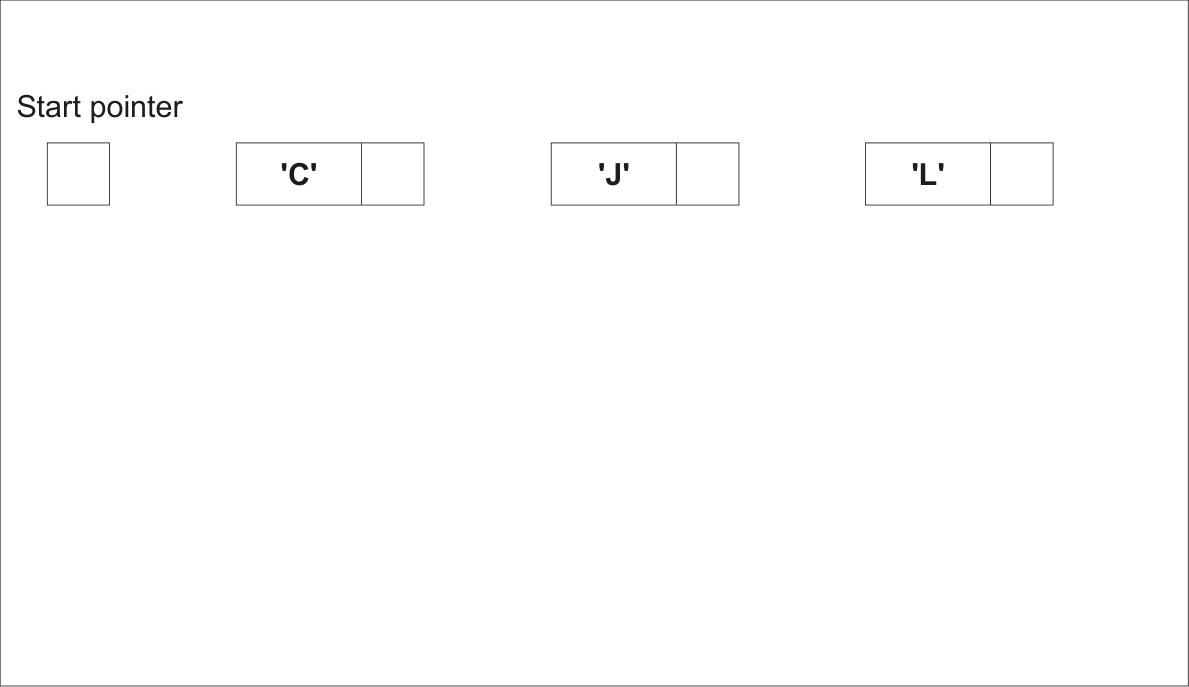
(ii) The original data could have been stored in a 1D array in which each element stores a character. 2 marks
For example:
'C' 'J' 'L'
Explain the advantages of making the changes described in part (a)(i) when the data is stored in the linked list instead of an array.
Show mark scheme
4(a)(i) [4 marks]
One mark for each: 1 Data A and K stored in new / existing nodes 2 Start pointer points to Node A 3 Node A points to Node C and Node C points to Node K 4 Node K contains Null Pointer
4(a)(ii) [2 marks]
One mark per point: 1 Pointers determine the ordering of data // only the pointers need to be changed when data changed 2 Easier to add / delete data (to maintain correct sequence) in a linked list // description of moving data to maintain correct sequence when array used
4(a)(iii) [2 marks]
One mark per point: 1 Need to store pointers as well as data 2 More complex (to setup / implement)
4(b) [4 marks]
One mark per point ( Max 4 ): 1 Declare two (1D) arrays 2 One for data, one for pointers 3 Elements from same index represent one node 4 Declare an integer / variable for // explain its use StartPointer 5 Define appropriate value for null pointer // explain its use 6 Declare an integer / variable for pointer // explain its use FreeList 7 Routines are needed to add / delete / search Alternative MP1, 2 and 3 for record-based implementation: 1 Define a record type with fields for data and pointer 2 Declare one (1D) array 3 ...of the defined record type
The program flowchart represents a simple algorithm.
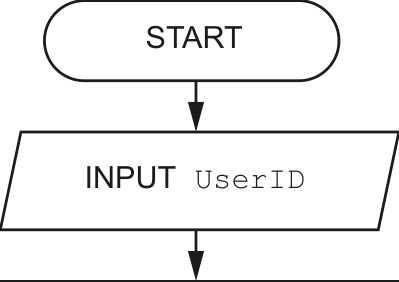
| Set Average to GetAverage(UserID) |
|||
|---|---|---|---|
| Set Index to 4 Add 1 to Index YES Is Index < 7 ? NO Set Last to SameMonth[Index] NO Is Average Add Last to Total > Last ? YES Add Average to Total Update(UserID, Total) |
||
|---|---|---|
Update(UserID, Total) |
||
END
(a) Write the equivalent pseudocode for the algorithm represented by the flowchart. 6 marks
(b) Give the name of the iterative construct in the flowchart. 1 mark
Show mark scheme
4(a) [6 marks]
One mark per point: 1 Input and use of and assignment UserID GetAverage() 2 Initialisation of to zero and to 4 Total Index 3 Conditional loop with from 4 to 6 Index 4 Assignment of from element in a loop Last SameMonth[Index] 5 Structure: in a loop IF...THEN...ELSE...ENDIF 6 Correct assignments and final call to after the loop Update() INPUT UserID Average GetAverage(UserID) Total 0 Index 4 WHILE Index < 7 // REPEAT Last SameMonth[Index] IF Average > Last THEN Total Total + Average ELSE Total Total + Last ENDIF Index Index + 1 ENDWHILE // UNTIL Index = 7 CALL Update(UserID, Total) Alternative solution using FOR loop: One mark per point FOR loop solution: 1 Input and use of and assignment UserID GetAverage() 2 Initialisation of to zero Total 3 loop from 4 to 6 Index 4 Assignment of from array in a loop Last SameMonth 5 Comparison in a loop IF...THEN...ELSE...ENDIF 6 Appropriate assignments in a loop AND final call to after Update() the loop INPUT UserID Average GetAverage(UserID) Total 0 FOR Index 4 TO 6 Last SameMonth[Index] IF Average > Last THEN Total Total + Average ELSE Total Total + Last ENDIF NEXT Index CALL Update(UserID, Total)
4(b) [1 mark]
Pre-condition (loop) / count-controlled (loop)
(a) A program contains a 1D array DataItem with 100 elements. 1 mark
State the one additional piece of information required before the array can be declared.
(b) A programmer decides to implement a queue Abstract Data Type (ADT) in order to store characters received from the keyboard. The queue will need to store at least 10 characters and will be implemented using an array.
(i) Describe two operations that are typically required when implementing a queue. 4 marks
State the check that must be carried out before each operation can be completed.
Operation 1
Check 1
Operation 2
Check 2
(ii) Describe the declaration and initialisation of the variables and data structures used to implement the queue. 5 marks
Show mark scheme
4(a) [1 mark]
The data type (of the item to be stored)
4(b)(i) [4 marks]
Operation: Add an item / Enqueue Check: There are unused elements in the array // The queue is not full Operation: Remove an item / Dequeue Check: There are items in the array // The queue is not empty One mark for reason and one mark for reason it could not be completed.
4(b)(ii) [5 marks]
One mark per point ( Max 5 ): 1 Declare a (1D) array of size >= 10 2 …of data type CHAR 3 Declare integer variable for FrontOfQueuePointer 4 Declare integer variable for EndOfQueuePointer 5 Initialise and to FrontOfQueuePointer EndOfQueuePointer represent an empty queue 6 Declare integer variable or NumberInQueue 7 Declare integer variable for to count / limit the max SizeOfQueue number of items allowed // Reference to mechanism for defining 'wrap' of circular queue 8 Initialise // Initialise SizeOfQueue NumberInQueue
Each line of a text file contains data organised into fixed-length fields as shown:
<Field 1><Field 2><Field 3>
An algorithm is required to search for the first instance of a given value of Field 2 and, if found, to output the corresponding values for Field 1 and Field 3.
Describe the algorithm needed.
Do not include pseudocode statements in your answer. 6 marks
Show mark scheme
5 [5 marks]
One mark per point to Max 6 1 Open file in read mode 2 Set up a conditional loop, repeating until the value is found or the EOF() is reached 3 Read a line from the file in a loop 4 Extract Field 2 5 Description of how Field 2 could be extracted e.g. using substring function and lengths of Field 1 and Field 2 6 Compare extracted field with search value 7 If search value found, extract Field 1and Field 3 and output them 8 Close the file after loop has finished
(a) A procedure LastLines() will: 6 marks
take the name of a text file as a parameter
output the last three lines from that file, in the same order as they appear in the file.
Note:
Use local variables
LineX,LineYandLineZto store the three lines from the file.You may assume the file exists and contains at least three lines.
Write pseudocode for the procedure LastLines() .
Show mark scheme
4 Reject character if returns , otherwise form string in a loop Exists()
TRUE
4(a)
0 Count + 1 1 TO Count - 3 Max 6 :
4(b)
Max 3 :
The following pseudocode represents an algorithm intended to output the last three lines as they appear in a text file. Line numbers are provided for reference only.
  10 PROCEDURE LastLines(ThisFile : STRING)
  11   DECLARE ThisLine : STRING
  12   DECLARE Buffer : ARRAY[1:3] OF STRING
  13   DECLARE LineNum : INTEGER
  14   LineNum  1
  15   OPENFILE ThisFile FOR READ
  16
  17   WHILE NOT EOF(ThisFile)
  18    READFILE Thisfile, ThisLine // read a line
  19    Buffer[LineNum]  ThisLine
  20    LineNum  LineNum + 1
  21    IF LineNum = 4 THEN
  22      LineNum  1
  23    ENDIF
  24   ENDWHILE
  25
  26   CLOSEFILE ThisFile
  27   FOR LineNum  1 TO 3
  28    OUTPUT Buffer[LineNum]
  29   NEXT LineNum
  30 ENDPROCEDURE
(a) There is an error in the algorithm. In certain cases, a text file will have at least three lines but the output will be incorrect.
(i) State how the output may be incorrect. 1 mark
(ii) Describe the error in the algorithm and explain how it may be corrected. 4 marks
Description
Explanation
(b) The original algorithm is implemented and sometimes the last three lines of the text file are output correctly. 1 mark
State the condition that results in the correct output.
(c) Lines 20 to 23 inclusive could be replaced with a single pseudocode statement. 2 marks
Write the pseudocode statement.
Show mark scheme
7(a)(i) [1 mark]
The lines are output in an incorrect sequence / in the wrong order / not as they appear in the file
7(a)(ii) [4 marks]
Description of error: (Max 2 marks) If the final line of the file is not written into array element 3 then outputting the elements in the sequence 1 to 3 will give the error. Explanation of error correction: (Max 2 marks) Attempt at description of 'shuffle' Copy Buffer[2] to Buffer[1] AND copy Buffer[3] to Buffer[2] Read a line from the file and write it to Buffer[3] OR Store the index of the last element written to buffer (the last line of the file) Replace the FOR loop with something that starts at index and then wraps around (MOD 3) OR (two-loop solution, not using an array) Loop to read file to end to get number of lines close and re-open file read (and discard) lines to number of lines - 3, then loop to read and output last 3 lines
7(b) [2 marks]
If the number of lines in the text file is a multiple of three
7(c)
Correct answers include: LineNum (LineNum MOD 3) + 1 // ((LineNum + 3) MOD 3)
- 1 One mark for assignment to making any use of LineNum MOD One for completely correct statement
A program allows a user to save passwords used to log in to websites. A stored password is then inserted automatically when the user logs in to the corresponding website.
A student is developing a program to generate a strong password. The password will be of a fixed format, consisting of three groups of four alphanumeric characters, separated by the hyphen character '-'.
An example of a password is: "FxAf-3hzV-Aq49"
A valid password:
must be 14 characters long
must be organised as three groups of four alphanumeric characters. The groups are separated by hyphen characters
may include duplicated characters, provided these appear in different groups.
The programmer has started to define program modules as follows:
| Module | Description |
|---|---|
RandomChar() |
• Generates a single random character from within one of the following ranges: ○ 'a' to 'z' ○ 'A' to 'Z' ○ '0' to '9' • Returns the character |
Exists() |
• Takes two parameters: ○ a string ○ a character • Performs a case-sensitive search for the character in the string • Returns TRUE if the character occurs in the string, otherwise returnsFALSE |
Generate() |
• Generates a valid password • Uses RandomChar() andExists()• Returns the password |
Note: in a case-sensitive comparison, 'a' is not the same as 'A'.
(a) Write pseudocode for the module Generate() . 7 marks
(b) A global 2D array Secret of type STRING stores the passwords together with the website domain name where they are used. Secret contains 1000 elements organised as 500 rows by 2 columns. 6 marks
Unused elements contain the empty string ( "" ). These may occur anywhere in the array.
An example of part of the array is:
| Array element | Value |
|---|---|
Secret[27, 1] |
"www.thiswebsite.com" |
Secret[27, 2] |
"●●●●●●●●●●●●" |
Secret[28, 1] |
"www.thatwebsite.com" |
Secret[28, 2] |
"●●●●●●●●●●●●" |
Note:
For security, the passwords are stored in an encrypted form, shown as "●●●●●●●●●●●●" in the example.
The passwords cannot be used without being decrypted.
You may assume that the encrypted form of a password will not be an empty string.
Additional modules are defined as follows:
| Module | Description |
|---|---|
Encrypt() |
• Takes a password as a string • Returns the encrypted form of the password as a string |
Decrypt() |
• Takes an encrypted password as a string • Returns the decrypted form of the password as a string |
FindPassword() |
• Takes a website domain name as a string • Searches for the website domain name in the array Secret• If the website domain name is found, the decrypted password is returned • If the website domain name is not found, an empty string is returned |
AddPassword() |
• Takes two parameters as strings: a website domain name and a password • Searches for the website domain name in the array Secret andif not found, adds the website domain name and the encrypted password to the array • Returns TRUE if the website domain name and encryptedpassword are added to the array, otherwise returns FALSE |
The first three modules have been written.
Write pseudocode for the module AddPassword() .
(c) The content of the array Secret is to be stored in a text file for backup. 3 marks
It must be possible to read the data back from the file and extract the website domain name and the encrypted password.
Both the website domain name and encrypted password are stored in the array as strings of characters.
The encrypted password may contain any character from the character set used and the length of both the encrypted password and the website domain name is variable.
Explain how a single line of the text file can be used to store the website domain name and the encrypted password.
Show mark scheme
9(a) [6 marks]
DECLARE Password, Group : STRING DECLARE NextChar : CHAR DECLARE ACount, BCount : INTEGER CONSTANT HYPHEN = '-' Password "" FOR ACount 1 TO 3 Group "" FOR BCount 1 TO 4 REPEAT NextChar RandomChar() UNTIL Exists(Group, NextChar) = FALSE Group Group & NextChar NEXT BCount Password Password & Group & HYPHEN NEXT ACount Password LEFT(Password, 14) // remove final hyphen RETURN Password ENDFUNCTION Marks as follows to Max 7 : 1 Declaration and initialisation of as Password STRING 2 Outer loop for three groups / until password is complete // three group loops 3 Attempt to use of both and in a loop RandomChar() Exists() 4 (Inner) loop for 4 characters in a group // note every 4 chars in a loop 5 Conditional loop until char is unique 6 Concatenating unique character to in a loop Group 7 Concatenate / random character to in a loop Group Password 8 (Attempt to) insert hyphens between groups (or removing later) and Return Password FUNCTION AddPassword(Name, Password : STRING)
9(b)
RETURNS BOOLEAN DECLARE Index : INTEGER DECLARE Added : BOOLEAN Added FALSE Index 1 IF FindPassword(Name) = "" THEN // Domain name not in // array WHILE Added = FALSE AND Index <= 500 IF Secret[Index, 1] = "" THEN Secret[Index, 1] Name Secret[Index, 2] Encrypt(Password) Added TRUE ELSE Index Index + 1 ENDIF ENDWHILE ENDIF RETURN Added ENDFUNCTION Marks as follows: 1 Check that the website domain name isn't already in array using / linear search, otherwise: FindPassword() 2 (Conditional) loop while not added and not end of array 3 Check for unused element by testing value in column 1 in a loop 4 If unused, write parameter values to column 1 and 2 and set flag / variable 5 ...having used on the password Encrypt() 6 Return value (correctly in all cases) BOOLEAN
9(c) [3 marks]
One mark per point to Max 3 . Solution based on field length: Convert the length of the website domain name (either field) … … to a string of fixed length Form a string by concatenate this string with the other two (and write as one line of the file) Solution based on use of separator character: Select a (separator) character that cannot occur in the domain name (e.g. space) Create a string from the domain name followed by the separator ...Concatenate the encrypted password (and write as one line of the file)
A program controls the heating system in a sports hall.
Part of the program involves reading a value from a sensor. The sensor produces a numeric value that represents the temperature. The value is an integer, which should be in the range 0 to 40 inclusive.
A program function has been written to validate the values from the sensor.
(a) A test plan is needed to test the function. 4 marks
Complete the table. The first line has been completed for you.
You can assume that the sensor will generate only integer data values.
| Test | Test data value | Explanation | Expected outcome |
|---|---|---|---|
| 1 | 23 | Normal data | Data is accepted |
| 2 | |||
| 3 | |||
| 4 | |||
| 5 |
(b) A program module controls the heaters. This module operates as follows: 3 marks
If the temperature is below 10, switch the heaters on.
If the temperature is above 20, switch the heaters off.
Complete the following state-transition diagram for the heating system:
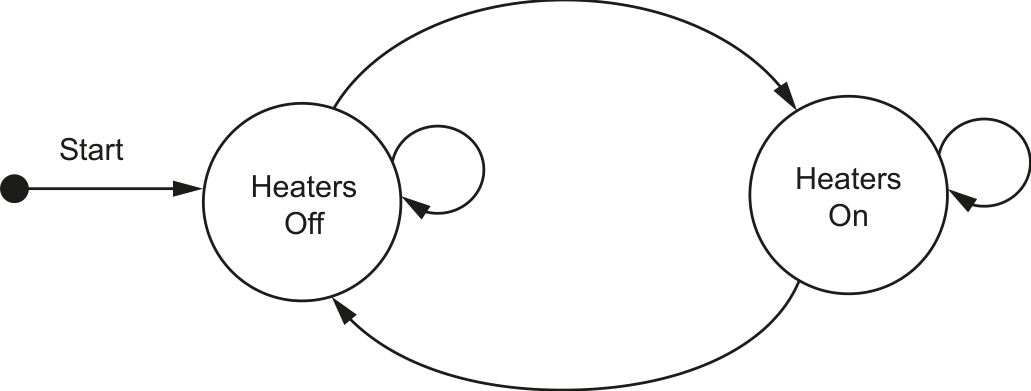
| The following data items will be record network: | ded each time a student successfully logs |
|---|---|
| Data item | Example data |
| Student ID | "CJL404" |
| Host ID | "Lib01" |
| Time and date | "08:30, June 01, 2021" |
The Student ID is six characters long. The other two data items are of variable length.
A single string will be formed by concatenating the three data items. A separator character will need to be inserted between items two and three.
For example:
"CJL404Lib01<separator>08:30, June 01, 2021"
Each string represents one log entry.
A programmer decides to store the concatenated strings in a 1D array LogArray that contains
2000 elements. Unused array elements will contain an empty string.
(a) Suggest a suitable separator character and give a reason for your choice. 2 marks
Character
Reason
(b) The choice of data structure was made during one stage of the program development life cycle. 1 mark
Identify this stage.
(c) A function LogEvents() will:
take a Student ID as a parameter
for each element in the array that matches the Student ID parameter:
◦ add the value of the array element to the existing text file LogFile ◦ assign an empty string to the array element 7 marks
count the number of lines added to the file
return this count.
Write pseudocode for the function LogEvents() .
Show mark scheme
4(a)
Test Test data value Explanation Expected Outcome 1 23 Normal Data Data is accepted 2 0 Boundary Data Data is accepted 3 40 Boundary Data Data is accepted 4
= 41 Abnormal Data Data is rejected 5 <= −1 Abnormal Data Data is rejected One mark per row for rows 2 to 5.
4(b) [3 marks]
One mark for each label: Temp < 10 (Heaters Off to Heaters On) • Temp > 20 (Heaters On to Heaters Off) • on BOTH loops (non-contradictory values) •
A company has several departments. Each department stores the name, email address and the status of each employee in that department in its own text file. All text files have the same format.
Employee details are stored as three separate data strings on three consecutive lines of the file. An example of the first six lines of one of the files is as follows:
| File line | Comment |
|---|---|
| 1 | First employee name |
| 2 | First email address |
| 3 | First employee status |
| 4 | Second employee name |
| 5 | Second email address |
| 6 | Second employee status |
A procedure MakeNewFile() will:
take three parameters as strings:
an existing file name
a new file name
a search status value
create a new text file using the new file name
write all employee details to the new file where the employee status is not equal to the search status value
count the number of sets of employee details that were in the original file
count the number of sets of employee details that were written to the new file
produce a summary output.
An example summary output is as follows:
    File Marketing contained 54 employee details
    52 employee sets of details were written to file NewMarketingList
(a) Write pseudocode for the procedure MakeNewFile() . 7 marks
(b) An alternative format could be used for storing the data.
A text file will still be used.
(i) Describe the alternative format. 1 mark
(ii) State one advantage and one disadvantage of the alternative format. 2 marks
Advantage
Disadvantage
Show mark scheme
5(a)
PROCEDURE MakeNewFile(OldFile, NewFile, Status : STRING) DECLARE Line1, Line2, Line3 : STRING DECLARE NumCopied, NumRecs : INTEGER ← NumRecs 0 ← NumCopied 0 OPENFILE OldFile FOR READ OPENFILE NewFile FOR WRITE WHILE NOT EOF(OldFile) READFILE OldFile, Line1 READFILE OldFile, Line2 READFILE OldFile, Line3 ← NumRecs NumRecs + 1 IF Line3 <> Status THEN WRITEFILE NewFile, Line1 WRITEFILE NewFile, Line2 WRITEFILE NewFile, Line3 ← NumCopied NumCopied + 1 ENDIF ENDWHILE OUTPUT "File " , OldFile , " contained " , NumRecs ,__ " employee details" OUTPUT Numcopied , " employee sets of details were __ written to file", NewFile CLOSEFILE OldFile CLOSEFILE NewFile ENDPROCEDURE Mark as follows: 1 Procedure heading and ending, including parameters 2 for and for and subsequently OPEN OldFile READ NewFile WRITE both files CLOSE 3 Conditional loop until EOF(OldFile) 4 Read three lines from in a loop OldFile 5 Compare 3 line read with parameter and if not equal write rd Status 3 lines to in a loop NewFile 6 Count number of sets read and those written in a loop 7 Final output including both counts and file names with suitable text after a loop Note: MP6: Both counts must have been declared and initialised
5(b)(i) [2 marks]
Store all three items on one line
5(b)(ii) [7 marks]
One mark per point: Advantage: Fewer file operations required Disadvantage: Algorithm to combine / extract individual data items is more complex
A program controls the heating system in a sports hall.
Part of the program involves reading a value from a sensor. The sensor produces a numeric value that represents the temperature. The value is an integer, which should be in the range 0 to 40 inclusive.
A program function has been written to validate the values from the sensor.
(a) A test plan is needed to test the function. 4 marks
Complete the table. The first line has been completed for you.
You can assume that the sensor will generate only integer data values.
| Test | Test data value | Explanation | Expected outcome |
|---|---|---|---|
| 1 | 23 | Normal data | Data is accepted |
| 2 | |||
| 3 | |||
| 4 | |||
| 5 |
(b) A program module controls the heaters. This module operates as follows: 3 marks
If the temperature is below 10, switch the heaters on.
If the temperature is above 20, switch the heaters off.
Complete the following state-transition diagram for the heating system:
| The following data items will be record network: | ded each time a student successfully logs |
|---|---|
| Data item | Example data |
| Student ID | "CJL404" |
| Host ID | "Lib01" |
| Time and date | "08:30, June 01, 2021" |
The Student ID is six characters long. The other two data items are of variable length.
A single string will be formed by concatenating the three data items. A separator character will need to be inserted between items two and three.
For example:
"CJL404Lib01<separator>08:30, June 01, 2021"
Each string represents one log entry.
A programmer decides to store the concatenated strings in a 1D array LogArray that contains
2000 elements. Unused array elements will contain an empty string.
(a) Suggest a suitable separator character and give a reason for your choice. 2 marks
Character
Reason
(b) The choice of data structure was made during one stage of the program development life cycle. 1 mark
Identify this stage.
(c) A function LogEvents() will:
take a Student ID as a parameter
for each element in the array that matches the Student ID parameter:
◦ add the value of the array element to the existing text file LogFile ◦ assign an empty string to the array element 7 marks
count the number of lines added to the file
return this count.
Write pseudocode for the function LogEvents() .
Show mark scheme
4(a)
Test Test data value Explanation Expected Outcome 1 23 Normal Data Data is accepted 2 0 Boundary Data Data is accepted 3 40 Boundary Data Data is accepted 4
= 41 Abnormal Data Data is rejected 5 <= −1 Abnormal Data Data is rejected One mark per row for rows 2 to 5.
4(b) [3 marks]
One mark for each label: Temp < 10 (Heaters Off to Heaters On) • Temp > 20 (Heaters On to Heaters Off) • on BOTH loops (non-contradictory values) •
(a) A concert venue uses a program to calculate admission prices and store information about ticket sales.
A number of arrays are used to store data. The computer is switched off overnight and data has to be input again at the start of each day before any tickets can be sold. This process is very time consuming.
(i) Explain how the program could use text files to speed up the process. 2 marks
(ii) State the characteristic of text files that allow them to be used as explained in part (a)(i) . 1 mark
(iii) Information about ticket sales will be stored as a booking. The booking requires the following data: 2 marks
name of person booking
number of people in the group (for example a family ticket or a school party)
event type.
Suggest how data relating to each booking may be stored in a text file.
(b) A procedure Preview() will: 5 marks
take the name of a text file as a parameter
output a warning message if the file is empty
otherwise output the first five lines from the file (or as many lines as there are in the file if this number is less than five).
Write pseudocode for the procedure Preview() .
Show mark scheme
3(a)(i) [1 mark]
One mark per bullet point: Data from the arrays is written to the files at the end of the day / before the • program is terminated / computer is switched off Data can then be read from the files at the start of the next day and written to • / stored in the arrays No need to (re-)enter the data manually // only need to enter data once • Note: Max 2 marks
3(a)(ii)
The data is retained when the program is terminated / after the computer is • switched off // data is stored permanently // non-volatile storage
3(a)(iii) [5 marks]
One mark per bullet point: Data items are combined to form a single string / saved as a single line in the • file Data items are separated by a special character // make each data item a • fixed length ALTERNATIVE: Convert all data items / 'number of people' to strings • Consecutive / each line stores a separate data item •
3(b)
PROCEDURE Preview (ThisFile : STRING) DECLARE LineNum : INTEGER DECLARE ThisLine : STRING OPENFILE ThisFile FOR READ IF EOF(ThisFile) THEN OUTPUT “Warning Message” ELSE ← LineNum 1 WHILE LineNum < 6 AND NOT EOF(ThisFile) READFILE Thisfile, ThisLine OUTPUT ThisLine ← LineNum LineNum + 1 ENDWHILE ENDIF CLOSEFILE ThisFile ENDPROCEDURE Marks as follows: 1 Procedure heading (including parameter) and ending 2 File and subsequently OPEN CLOSE 3 Check if file is empty and output a warning message if it is 4 Conditional Loop 5 Output line (including blank lines) and read next line in a loop
(a) A concert venue uses a program to calculate admission prices and store information about ticket sales.
A number of arrays are used to store data. The computer is switched off overnight and data has to be input again at the start of each day before any tickets can be sold. This process is very time consuming.
(i) Explain how the program could use text files to speed up the process. 2 marks
(ii) State the characteristic of text files that allow them to be used as explained in part (a)(i) . 1 mark
(iii) Information about ticket sales will be stored as a booking. The booking requires the following data: 2 marks
name of person booking
number of people in the group (for example a family ticket or a school party)
event type.
Suggest how data relating to each booking may be stored in a text file.
(b) A procedure Preview() will: 5 marks
take the name of a text file as a parameter
output a warning message if the file is empty
otherwise output the first five lines from the file (or as many lines as there are in the file if this number is less than five).
Write pseudocode for the procedure Preview() .
Show mark scheme
3(a)(i) [1 mark]
One mark per bullet point: Data from the arrays is written to the files at the end of the day / before the • program is terminated / computer is switched off Data can then be read from the files at the start of the next day and written to • / stored in the arrays No need to (re-)enter the data manually // only need to enter data once • Note: Max 2 marks
3(a)(ii)
The data is retained when the program is terminated / after the computer is • switched off // data is stored permanently // non-volatile storage
3(a)(iii) [5 marks]
One mark per bullet point: Data items are combined to form a single string / saved as a single line in the • file Data items are separated by a special character // make each data item a • fixed length ALTERNATIVE: Convert all data items / 'number of people' to strings • Consecutive / each line stores a separate data item •
3(b)
PROCEDURE Preview (ThisFile : STRING) DECLARE LineNum : INTEGER DECLARE ThisLine : STRING OPENFILE ThisFile FOR READ IF EOF(ThisFile) THEN OUTPUT “Warning Message” ELSE ← LineNum 1 WHILE LineNum < 6 AND NOT EOF(ThisFile) READFILE Thisfile, ThisLine OUTPUT ThisLine ← LineNum LineNum + 1 ENDWHILE ENDIF CLOSEFILE ThisFile ENDPROCEDURE Marks as follows: 1 Procedure heading (including parameter) and ending 2 File and subsequently OPEN CLOSE 3 Check if file is empty and output a warning message if it is 4 Conditional Loop 5 Output line (including blank lines) and read next line in a loop