20.2 File Processing & Exception Handling
A Level · 1 question found
What this topic covers
Section titled “What this topic covers”- Open (read/write/append) and close files in code
- Read and write records to a file
- File operations on serial, sequential and random files
- What an exception is; when to use exception handling; write exception-handling code
Past paper questions
Section titled “Past paper questions” Q1


1
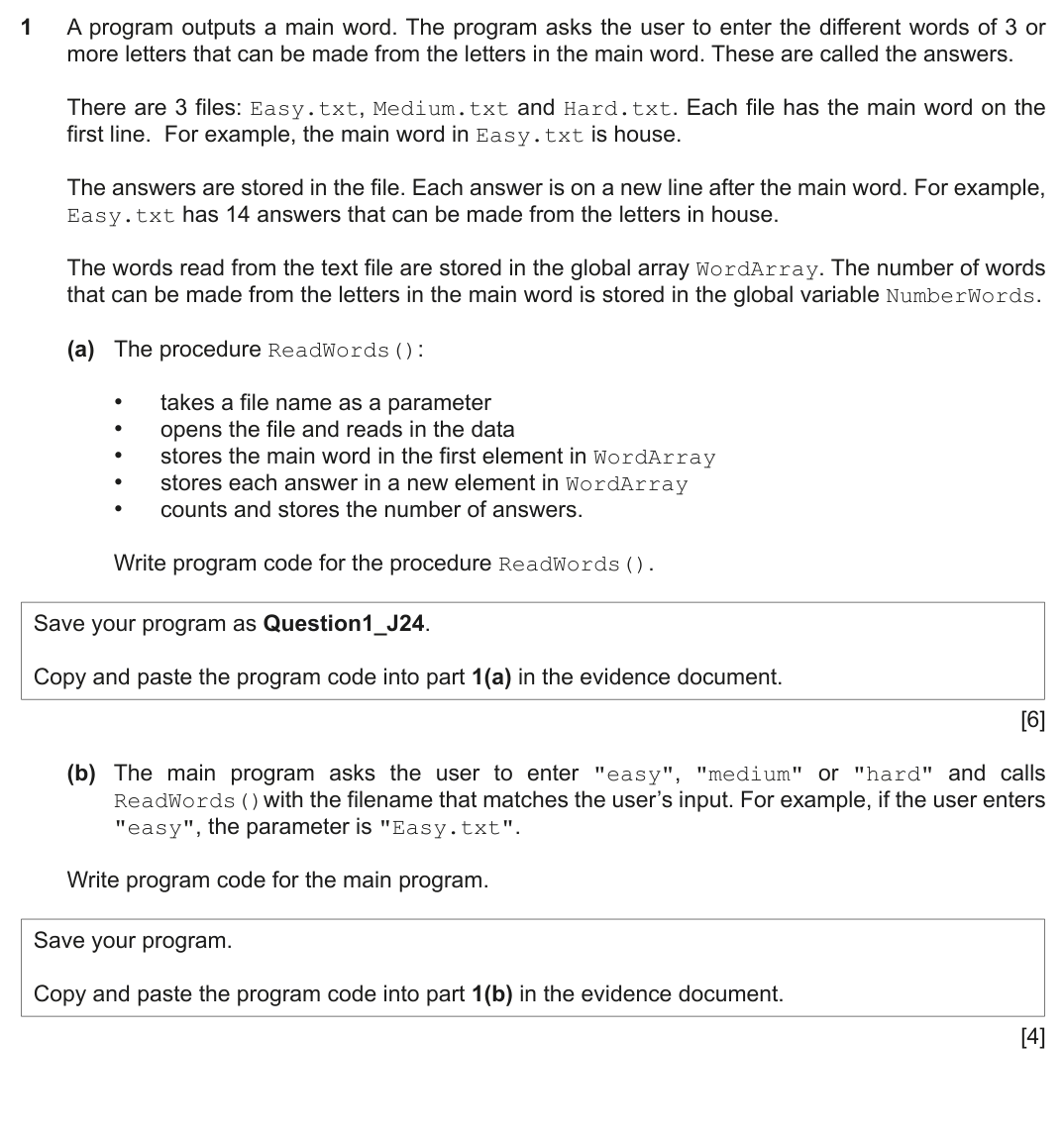
A program outputs a main word. The program asks the user to enter the different words of 3 or
more letters that can be made from the letters in the main word. These are called the answers.
There are 3 files: Easy.txt, Medium.txt and Hard.txt. Each file has the main word on the
first line. For example, the main word in Easy.txt is house.
The answers are stored in the file. Each answer is on a new line after the main word. For example,
Easy.txt has 14 answers that can be made from the letters in house.
The words read from the text file are stored in the global array WordArray. The number of words
that can be made from the letters in the main word is stored in the global variable NumberWords.
(a) The procedure ReadWords():
•
takes a file name as a parameter
•
opens the file and reads in the data
•
stores the main word in the first element in WordArray
•
stores each answer in a new element in WordArray
•
counts and stores the number of answers.
Write program code for the procedure ReadWords().
Save your program as Question1_J24.
Copy and paste the program code into part 1(a) in the evidence document.
[6]
(b) The main program asks the user to enter "easy", "medium" or "hard" and calls
ReadWords()with the filename that matches the user’s input. For example, if the user enters
"easy", the parameter is "Easy.txt".
Write program code for the main program.
Save your program.
Copy and paste the program code into part 1(b) in the evidence document.
[4]
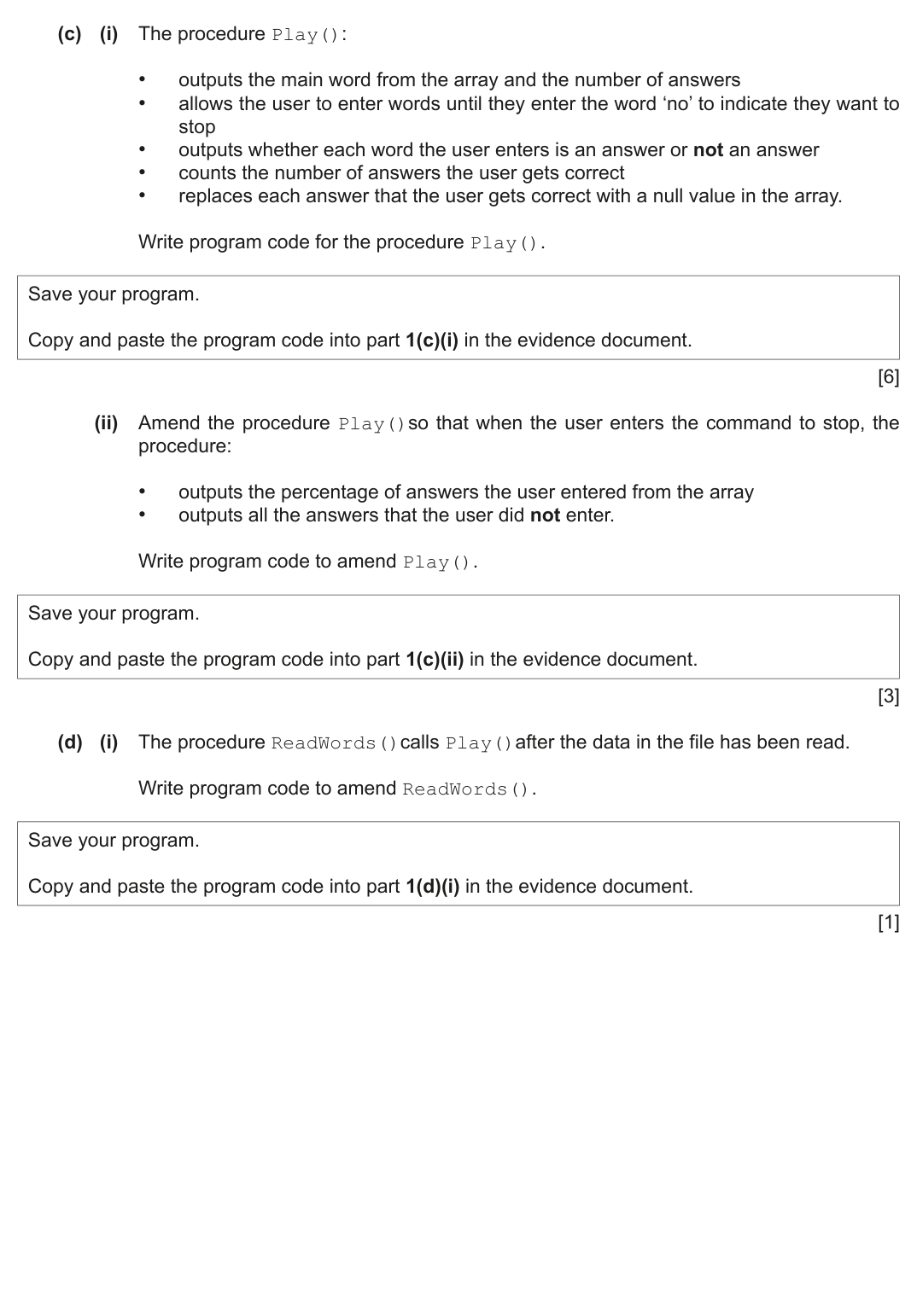
(c) (i) The procedure Play():
•
outputs the main word from the array and the number of answers
•
allows the user to enter words until they enter the word ‘no’ to indicate they want to
stop
•
outputs whether each word the user enters is an answer or not an answer
•
counts the number of answers the user gets correct
•
replaces each answer that the user gets correct with a null value in the array.
Write program code for the procedure Play().
Save your program.
Copy and paste the program code into part 1(c)(i) in the evidence document.
[6]
(ii) Amend the procedure Play()so that when the user enters the command to stop, the
procedure:
•
outputs the percentage of answers the user entered from the array
•
outputs all the answers that the user did not enter.
Write program code to amend Play().
Save your program.
Copy and paste the program code into part 1(c)(ii) in the evidence document.
[3]
(d) (i) The procedure ReadWords()calls Play()after the data in the file has been read.
Write program code to amend ReadWords().
Save your program.
Copy and paste the program code into part 1(d)(i) in the evidence document.
[1]
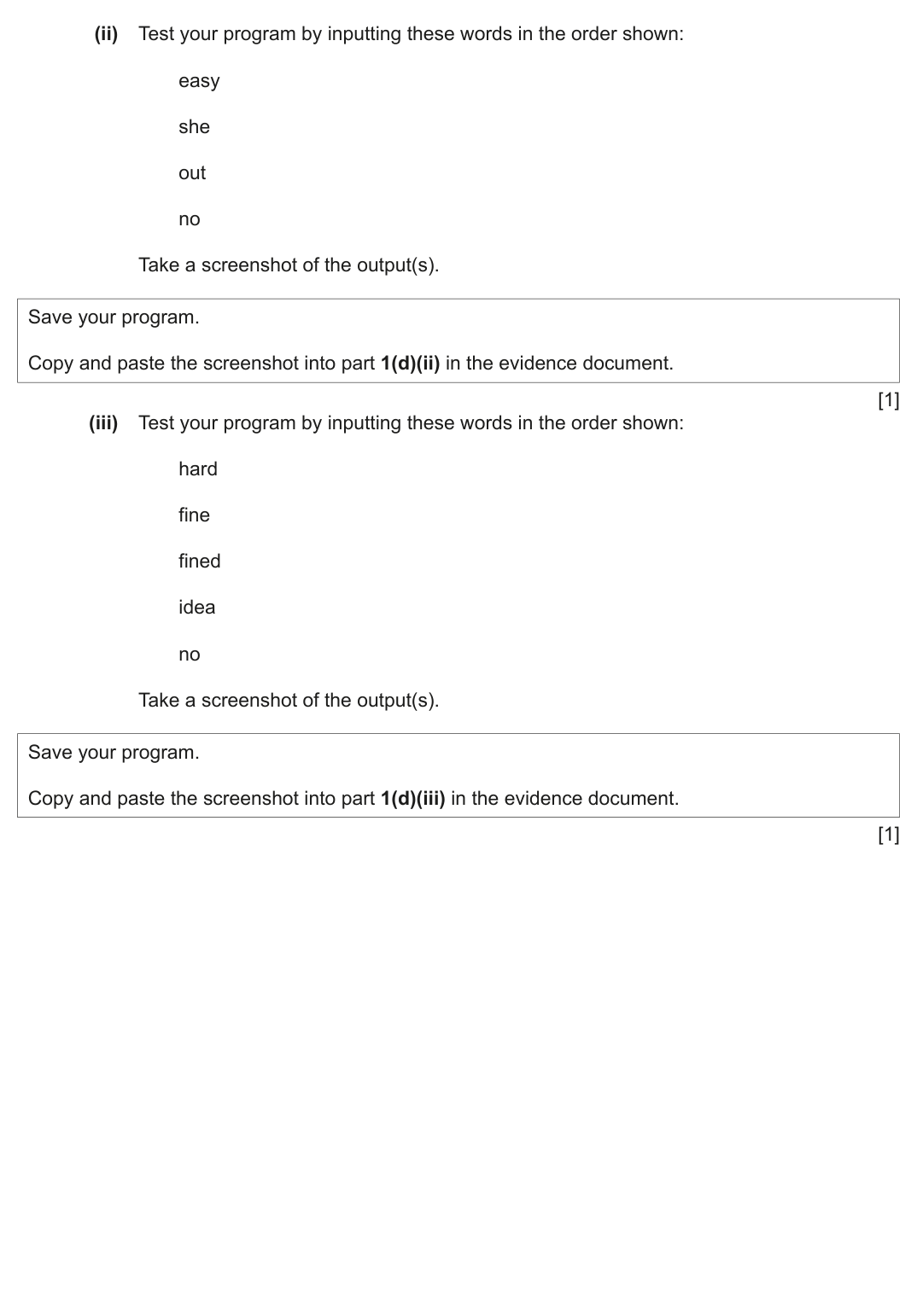
(ii) Test your program by inputting these words in the order shown:
easy
she
out
no
Take a screenshot of the output(s).
Save your program.
Copy and paste the screenshot into part 1(d)(ii) in the evidence document.
[1]
(iii) Test your program by inputting these words in the order shown:
hard
fine
fined
idea
no
Take a screenshot of the output(s).
Save your program.
Copy and paste the screenshot into part 1(d)(iii) in the evidence document.
[1]
BLANK PAGE
Show mark scheme
1(a)
}catch(FileNotFoundException e){
System.out.println("File not found");
VB.NET
Sub ReadWords(FileName As String)
Try
Dim DataReader As StreamReader = New StreamReader(FileName)
NumberWords = 0
Do Until DataReader.EndOfStream
WordArray(NumberWords) = DataReader.ReadLine()
NumberWords = NumberWords + 1
Loop
DataReader.Close()
Catch ex As Exception
Console.WriteLine("Invalid file")
End Try
End Sub
Python
def ReadWords(FileName):
global WordArray
global NumberWords
File = open(FileName, 'r')
DataRead = File.read().strip()
File.close()
WordArray = DataRead.split()
NumberWords = len(WordArray)
System.out.println("File not found");
VB.NET
Sub ReadWords(FileName As String)
Try
Dim DataReader As StreamReader = New StreamReader(FileName)
NumberWords = 0
Do Until DataReader.EndOfStream
WordArray(NumberWords) = DataReader.ReadLine()
NumberWords = NumberWords + 1
Loop
DataReader.Close()
Catch ex As Exception
Console.WriteLine("Invalid file")
End Try
End Sub
Python
def ReadWords(FileName):
global WordArray
global NumberWords
File = open(FileName, 'r')
DataRead = File.read().strip()
File.close()
WordArray = DataRead.split()
NumberWords = len(WordArray)
1(b)
FileName = "Hard.txt"
End If
ReadWords(FileName)
End Sub
Python
WordArray = []
NumberWords = 0
Choice = input("Easy, medium or hard? ").lower()
if Choice == "easy":
File = "Easy.txt"
elif Choice == "medium":
File = "Medium.txt"
else:
File = "Hard.txt"
ReadWords(File)
End If
ReadWords(FileName)
End Sub
Python
WordArray = []
NumberWords = 0
Choice = input("Easy, medium or hard? ").lower()
if Choice == "easy":
File = "Easy.txt"
elif Choice == "medium":
File = "Medium.txt"
else:
File = "Hard.txt"
ReadWords(File)
1(c)(i)
for x in range(0, NumberWords):
WordArray[x] = ""
QuantityFound = QuantityFound + 1
print("Correct, you have found", QuantityFound, "words")
Found = True
if Found == False:
print("Sorry that was incorrect")
WordArray[x] = ""
QuantityFound = QuantityFound + 1
print("Correct, you have found", QuantityFound, "words")
Found = True
if Found == False:
print("Sorry that was incorrect")
1(c)(ii)
if Correct < 100:
print("The words you missed are")
for x in range(0, NumberWords-1):
if WordArray[x] != "":
print(WordArray[x])
print("The words you missed are")
for x in range(0, NumberWords-1):
if WordArray[x] != "":
print(WordArray[x])
1(d)(i)
VB.NET
Sub ReadWords(FileName As String)
Try
Dim DataReader As StreamReader = New StreamReader(FileName)
NumberWords = 0
Do Until DataReader.EndOfStream
WordArray(NumberWords) = DataReader.ReadLine()
NumberWords = NumberWords + 1
Loop
DataReader.Close()
Play()
Catch ex As Exception
Console.WriteLine("Invalid file")
End Try
End Sub
Python
def ReadWords(FileName):
global WordArray
global NumberWords
File = open(FileName, 'r')
DataRead = File.read().strip()
File.close()
WordArray = DataRead.split()
NumberWords = len(WordArray)
Play()
Sub ReadWords(FileName As String)
Try
Dim DataReader As StreamReader = New StreamReader(FileName)
NumberWords = 0
Do Until DataReader.EndOfStream
WordArray(NumberWords) = DataReader.ReadLine()
NumberWords = NumberWords + 1
Loop
DataReader.Close()
Play()
Catch ex As Exception
Console.WriteLine("Invalid file")
End Try
End Sub
Python
def ReadWords(FileName):
global WordArray
global NumberWords
File = open(FileName, 'r')
DataRead = File.read().strip()
File.close()
WordArray = DataRead.split()
NumberWords = len(WordArray)
Play()
1(d)(ii) [1 mark]
1 mark for screenshot showing the inputs "easy", "she", "out", "no" e.g.
1(d)(iii) [1 mark]
1 mark for screenshot showing the inputs ‘hard’, ‘fine’, ‘fined’, ‘idea’, ‘no’ e.g.